• Hi and welcome to the Studio One User Forum!

    Please note that this is an independent, user-driven forum and is not endorsed by, affiliated with, or maintained by PreSonus. Learn more in the Welcome thread!

Touchscreen monitor feedback with Studio One

Cool that we all have different needs and usage over the same sort of peripheral. That's informative as well.

Thank you for the Gesturesign link, Craig. That looks to be helpful right within Studio One for added gesture control.

As to what areas I'll mostly be using with multi-touch, like you guys, I'll have to cross that bridge and see. I'm so comfortable with key commands, and the mouse that it will likely be adding just a little more control vocabulary with touch commands in the studio. Also the question of, if I'll find real (and continued) use for those needs. A larger monitor prompts a greater desire to do more, and likely use channel faders/pans more. Only that could be a hindrance on potential neighboring accidents deep into a mix so I guess it's not a question of what I'll be using touch for, but when not to use it as well. Also, I'm a little hesitant of a large for example 30" monitor taking up a good portion of desk space, so some planning is in order. Roll out monitor? (Hmmmm... me thinks). Perhaps a 24" or 27" will suffice. Any smaller and it seems, say goodbye to channel faders with any subtle control. That is unless I can vary the scale of fader movements.
This is something where the Raven will shine because there's just a lot of GUI feedback over such things. Brief mention, those very fast movements and gestures in those Slate Raven promo sizzle adds, fool no one. Lol.

I think, I'll like the plugin and instrument touch control, if and where they work. I read the Presonus plugins work well with multitouch, others can be single only at times, or as Craig pointed out may not work at all. I get the impression that might be some NI or Melda parameters with their teeny-tiny controls. So points appreciated.

Another point by sintil8 that has some validity, even when joking is. too large a monitor can get arms tired. This I've always held to as well, but it may not be an issue for some. For myself, I'm not looking to replace the tactile prowess of a mixer or controller, or even mouse and key commands. Just simply get some other interface control. For 30" monitors or less, placed right in front, arms won't be tired. Although reaching elsewhere, might. It's all in how we work I guess.

I'm still considering monitor size that will work best for me. I certainly don't want to make a large purchase only to find out I'm not using it as much as I could. Also visa verse having thrown down than later discovering an Ace in the pile.

Have to start somewhere though.

"We have to continually be jumping off cliffs and developing our wings on the way down". - Kurt Vonnegut
 
Last edited:
I don't try to edit parameters like Gain Envelopes or do cut/paste on audio, I use touch mostly for editing signal processor and virtual instrument controls. Touch also allows for two-handed operation, with one hand using touch for "big gestures" (like scrolling or zooming) and the other hand using the mouse for precision.

I do like that you can make really long-throw onscreen faders for touch. However, I still use a Faderport because I sometimes mix with my eyes closed and do subtle rhythmic variations with the faders. It adds a "feel" that I find appealing, and I can't do this without physical faders. (Credit where credit is due: When doing session work at CBS studios in the 70s, I learned this technique from the engineer who mixed "Brandy [You're a Fine Girl].")
Hiya,
I probably fall into the same mode as you, eyes closed and having the FP8 handy and your ears doing the work. Doing that on T/Screen can be a bit hit and miss having no tactile reference. The other reason I hang onto my FP8 is flipping it into midi mode and having cc controls available.

By the way... Thanks for the nod about the *Gesture sign*, it would appear that there are a number of ways and tools when working with T/Screens which enhance their use and with SO1 being a very capable DAW opens the door to new and novel ways of getting to where folk can enjoy being creative. Good on the OP for posting.(y)
On the dark side tho'.
The difficulty that one or two VI's rely upon their own eco systems is a problem, so we need all the tools at our disposal having a universal control seems to be the holy grail most of us are searching for.

Best regards
 
Lokeyfly, in my own case I use an old 24" 1080p multi touch as a 3rd monitor. It was largely unused until I bought this for $30. CAD on Amazon Canada:


(apologies the link is for Canada - let me know if it doesn't work). Since my monitor has a 75x75 VESA mount, I looked for an arm that could mount to the edge of my desk. This one is compact and allows the touch screen to pivot, tilt,lower, raise etc while remaining behind the monitor and out of the way. I find 24" is perfect and wouldn't want anything larger. My main screen is a 32" 4k. My second is also a 24" 1080p. The main screen sits dead ahead above a 2 keyboard shelf. One for a PC keyboard and side slide out tray for a trackball with a small 8 track (non motorized) track controller. Immediately in front and below that is my main Novation 61 key midi controller. My near field monitors are elevated at ~30 degrees either side of the main screen. The touch screen and it's "arm" are to the right usually at ~ a 30 degree angle, lowered below the level of the right near field monitor, and tilted back as far as comfortable for whatever I'm up to. Most of the time I have around 60% of the screen occupied by the console view with the level meter to its immediate right, pinned. Above that I have the undocked macro toolbar. Then I pull up a lyric page or a vsti over top as needed especially for older vstis that don''t do well on the main 4k screen.
I have to say the console view in Studio One needs some (mouse) help. I'll try the gesture app kindly provided from Craig, but won't pay $150 for a dedicated app to give me a couple of extra features as helpful as they might be. There are things that just work better with the trackball in conjunction with touch. Also have to say that I originally bought the ts monitor for use with Sonar which did a better job of accommodating touch. When I came to Studio 1 way back with Artist in v3, I largely abandoned touch because I couldn't get around the limitations, along with the monitor's lousy tilt/position options. In my own case the arm made all the difference in being able to allow me to position the screen where I need it for whatever I am doing, including keeping it out of the way. Not fancy, but works for me. Just my 2 cents (CAD). Lol
If I have a chance I'll take a picture or two to show off my fancy digs (lol).
 
Last edited:
The glare on the monitors is way worse than real world. I turned off the lights and used the flash on my phone. Hopefully gives you an idea of where I have the touchscreen monitor (low and to the right) on the pivoting arm. Works for me

Lokeyfly- you mentioned that you are looking for a narrow bezel. 👍 This one has the ugliest bezel I've ever seen - it was a very early touchscreen (with built in speakers at the bottom). Built like a battleship though.
 
@AAV
I'm shocked. Is that what they charge for the UPDD app, or are you referring to something else?
The copy I have was included as part of the package when I bought my TS controller, so am a bit happier and fully understand, I wouldn't pay that sort of money just for an app also. But then the cost must have been covered somwhere I suppose?
Such is life, you win some you lose some.

Best regards
 
Last edited:
Thanks AAV,
.02 cents CAD buys me lunch in the USA! : )

Nice points on the arm, and how out of the way it is. Smart. Now that I think of it, I have a small table (when not using my Roland Octapad) that will allow the touchscreen to lay about 30 deg. which is about how I want it. Great hearing the 24" touch monitor is working for you. That tells me a lot. I also use a trackball to conserve space. I want that easy alternative when using the touchscreen, and having key commands, and current workflow right there. So "thank you" on the points made.
You guys are awesome.
I'm currently looking at an Acer 24" that looks good. Plus the added nicity since I'm so mobile anyway to take it along with my laptop, when on the go (yard, vacation, etc.).
Like I said, it all has to work in the larger scheme of things.

https://www.microcenter.com/product...or-238-full-hd-(1920-x-1080)-75hz-led-monitor
The images don't show it, but the stand will allow the monitor to sit quite low to the table. It has USB-C, and relevant up to date features for DAW needs, 75 hz refresh, etc.
 
Last edited:
  • Like
Reactions: AAV
Putting the touch monitor to the side is a really good idea. That's one way to solve the "I use QWERTY keyboard shortcuts a lot" issue. I was thinking of adding an under-table retractable shelf for my QWERTY keyboard, which would allow positioning the touch screen closer to the edge of the table. Having to reach across a QWERTY keyboard to get to the touch screen contributes to tired arms.
 
  • Like
Reactions: AAV
@AAV
I'm shocked. Is that what they charge for the UPDD app, or are you referring to something else?
The copy I have was included as part of the package when I bought my TS controller, so am a bit happier and fully understand, I wouldn't pay that sort of money just for an app also. But then the cost must have been covered somwhere I suppose?
Such is life, you win some you lose some.

Best regards
Looks like it - $150 US from the link posted previously- if you click the "buy now" option. That includes 5 years of support. It may be that the actual purchase price is much cheaper for OEM/resale/add-on use etc. (would hope so). But the truth is I'm not using it as a faderport/Mackie control surface. Though it gets that use, it's more for convenience. And the odd mouse click is fine (for me personally - maybe not for everyone)
 
Putting the touch monitor to the side is a really good idea. That's one way to solve the "I use QWERTY keyboard shortcuts a lot" issue. I was thinking of adding an under-table retractable shelf for my QWERTY keyboard, which would allow positioning the touch screen closer to the edge of the table. Having to reach across a QWERTY keyboard to get to the touch screen contributes to tired arms.
Thanks Craig. About every 10 years I get one (a good idea). IMO, it's the articulating arm's air spring mechanism that makes it so useful this way. So easy to pull out, push back, tilt etc, then move back out of the way . Like you, I would have a hard time giving up a qwerty keyboard, although maybe a shelf on an articulating arm with a qwerty keyboard, side slide tray with either a trackball or a trackpad might work as well (or better?) for that purpose.
But I would think you'd have to tighten up the arm a lot to avoid bounce. My monitor has some fairly substantial mass and the finger pressure is lighter and tangential/peripheral to the surface, so not a problem.
 
Last edited:
Thanks AAV,
.02 cents CAD buys me lunch in the USA! : )

Nice points on the arm, and how out of the way it is. Smart. Now that I think of it, I have a small table (when not using my Roland Octapad) that will allow the touchscreen to lay about 30 deg. which is about how I want it. Great hearing the 24" touch monitor is working for you. That tells me a lot. I also use a trackball to conserve space. I want that easy alternative when using the touchscreen, and having key commands, and current workflow right there. So "thank you" on the points made.
You guys are awesome.
I'm currently looking at an Acer 24" that looks good. Plus the added nicity since I'm so mobile anyway to take it along with my laptop, when on the go (yard, vacation, etc.).
Like I said, it all has to work in the larger scheme of things.

https://www.microcenter.com/product...or-238-full-hd-(1920-x-1080)-75hz-led-monitor
The images don't show it, but the stand will allow the monitor to sit quite low to the table. It has USB-C, and relevant up to date features for DAW needs, 75 hz refresh, etc.
That's nice Lokeyfly. That should serve the purpose nicely. And if you DO decide you want to mount it you have the option. 👍
 
Looks like it - $150 US from the link posted previously- if you click the "buy now" option. That includes 5 years of support. It may be that the actual purchase price is much cheaper for OEM/resale/add-on use etc. (would hope so). But the truth is I'm not using it as a faderport/Mackie control surface. Though it gets that use, it's more for convenience. And the odd mouse click is fine (for me personally - maybe not for everyone)
I still use the a mouse, if and when needed, but whilst noodling something on the keyboard having a controller easily accessible is something
I am enjoying. I have been round the block with various controllers that were half baked or flaked out in some way and the tech is maturing all the time, getting set with a TS has been a good experience for me. I'm playing catch up after spending a lot of time looking at the way I worked.
You seem to have found that happy spot for yourself, which is a good thing, all power to you. :coffee:

Best regards
 
You seem to have found that happy spot for yourself, which is a good thing, all power to you. :coffee:
I think I've become better at overlooking imperfections than I used to be. Find a way to make something work the way you need it to. Long way to go but working at it. (Craig is so great at this, IMO. I have learned so much from his tips and many e-books (both Sonar and S1)
Happy spot - I guess so!
Thanks sintil8!
 
Putting the touch monitor to the side is a really good idea. That's one way to solve the "I use QWERTY keyboard shortcuts a lot" issue. I was thinking of adding an under-table retractable shelf for my QWERTY keyboard, which would allow positioning the touch screen closer to the edge of the table. Having to reach across a QWERTY keyboard to get to the touch screen contributes to tired arms.
This is working well, Craig. I have the Acer 24" and placed it on a table that meets up evenly with my lower desk drawer. The drawer accommodates a keyboard and Atom SQ, so they're very accesable and close. I'll add my touch impressions next, but I wanted to support your thoughts to add a lower drawer for keyboard, and table for angled monitor placement. Minimizes over reaching, and no tired arms. 👍
 
For me keeping the touch screen as close as possible helps remove the arm fatigue issue of having to extend to reach areas of the screen .
Lokefly your comment about screen size and arm fatigue is valid, I have a 27 inch 1080p monitor and personally I think a 32 inch would be optimum.
Acer released the T272HUL many years ago which is a 27 inch 1440p monitor, sadly they are discontinued so I have the 1080p model instead. With a higher Res I'd see more on the screen at the compromise of things being smaller. Therein lies the main issue with touch, the smaller the object the more precise you have to be with your touch .

I get around switching between the monitor and keyboard shortcuts by using the macro toolbar and also the Studio One Remote windows program to fire off the commands from the monitor.
 
Funny, when multitouch was first making its way, I was all over it. Only time went on with me not having a touch screen to use it. Now, I'm discovering what many of you already know and appreciate about multi-touch with Studio One and likely other app possibilities. Here's my Johnny come lately notes.


My touchy-feely monitor impressions when used with Studio One Pro 7:
Overall - it's hard not to be impressed with how the developers incorporated touch with Studio One.

Channel view,
● Selecting channels do not force the faders to ever jump out of position. I couldn't force one fader to failt. First touch over mixer faders selects the channel, then motion follows. That's it!
● Placing multiple (4 at once, for example) fingers and faders will always hold to those faders as long as one keeps their fingers on the screen surface. I can slide (even ten plus inches away ) horizontally and still individually position any of those faders where needed. Even while in motion! This seriously avoids border position error. The only area that takes a little time is first setting up fingers on those faders. There is graphic feedback as when each fader is touched and held with a finger, a brief box is displayed showing fader movement is ready. Outstanding feedback. If the user has the dexterity, the results are impressive.

Arrangement view.
● Two finger scaling vertical or horizontal pinch/spread is effortless. Really eliminates those W/E and Shift+W/Shift+E keys, and is extremely variable.
● Swiping to relocate to other areas in time or song position is very easy. Woosh......
● Moving events was easy and controlled. What is a little harder to do is locating an edge and adjusting event length. Ah, I got it. Press first to select and hold ((like faders), then drag leading/trailing edge. Fairly painless.

Edit view:
A little tricky creating and extending notes. This takes a second or two to wait, and then change length. Doable, only slow compared to the mouse cursor.

VSTi instruments.
● This was pure fun and all instruments behaved well with touch.
● I can't say enough about the hands on affect of instruments particularly synthesizers.
"VGER needs to be one with its creator" comes to mind. This emulates a hardware response with larger plugin layouts. Capital fun! Particularly with synths, or efects processing.

Other:
● Macro tool bars do relocate, but I wasn't able to make them vertical. I think a lower docking position would be an outstanding feature request. Somewhere above the transport bar, and recording toolbar.

Conclusion:
● I rarely if ever needed the mouse. Not that the mouse would ever be a bad thing. It isn't. But the point is made. Multitouch with Studio One, ninety five percent of the time just works. Definately taking one into another path of functionality. That percentage will vary on user needs. How nice!

● This stuff is suppose to be fun (and is). A touch screen can open sensory doors for those who want a virtual kick with a fresh perspective. For me, the experience was gratifying. Editing notes, was the only slower process I'd likely not spend time with. Selecting other tools, like the bend tool, Selecting an event to detect transients, and repositioning was easy. It's all very predictable.

● One weakness I came across. It was difficult to tap on and open any plugins on the mixer along the inserts and sends. I suspect adjusting mouse settings might fix that. I'll check. I could rarely double tap fast enough to get plugins to open. Once open, they're a breeze to operate. This was my only downer and required the mouse.

So there it is. I'll be using touch as it met with my needs. Now I gotta put this ding back unda da' tree, for Xmas.
 
Last edited:
Funny, when multitouch was first making its way, I was all over it. Only time went on with me not having a touch screen to use it. Now, I'm discovering what many of you already know and appreciate about multi-touch with Studio One and likely other app possibilities. Here's my Johnny come lately notes.


My touchy-feely monitor impressions when used with Studio One Pro 7:
Overall - it's hard not to be impressed with how the developers incorporated touch with Studio One.

Channel view,
● Selecting channels do not force the faders to ever jump out of position. I couldn't force one fader to failt. First touch over mixer faders selects the channel, then motion follows. That's it!
● Placing multiple (4 at once, for example) fingers and faders will always hold to those faders as long as one keeps their fingers on the screen surface. I can slide (even ten plus inches away ) horizontally and still individually position any of those faders where needed. Even while in motion! This seriously avoids border position error. The only area that takes a little time is first setting up fingers on those faders. There is graphic feedback as when each fader is touched and held with a finger, a brief box is displayed showing fader movement is ready. Outstanding feedback. If the user has the dexterity, the results are impressive.

Arrangement view.
● Two finger scaling vertical or horizontal pinch/spread is effortless. Really eliminates those W/E and Shift+W/Shift+E keys, and is extremely variable.
● Swiping to relocate to other areas in time or song position is very easy. Woosh......
● Moving events was easy and controlled. What is a little harder to do is locating an edge and adjusting event length. Ah, I got it. Press first to select and hold ((like faders), then drag leading/trailing edge. Fairly painless.

Edit view:
A little tricky creating and extending notes. This takes a second or two to wait, and then change length. Doable, only slow compared to the mouse cursor.

VSTi instruments.
● This was pure fun and all instruments behaved well with touch.
● I can't say enough about the hands on affect of instruments particularly synthesizers.
"VGER needs to be one with its creator" comes to mind. This emulates a hardware response with larger plugin layouts. Capital fun! Particularly with synths, or efects processing.

Other:
● Macro tool bars do relocate, but I wasn't able to make them vertical. I think a lower docking position would be an outstanding feature request. Somewhere above the transport bar, and recording toolbar.

Conclusion:
● I rarely if ever needed the mouse. Not that the mouse would ever be a bad thing. It isn't. But the point is made. Multitouch with Studio One, ninety five percent of the time just works. Definately taking one into another path of functionality. That percentage will vary on user needs. How nice!

● This stuff is suppose to be fun (and is). A touch screen can open sensory doors for those who want a virtual kick with a fresh perspective. For me, the experience was gratifying. Editing notes, was the only slower process I'd likely not spend time with. Selecting other tools, like the bend tool, Selecting an event to detect transients, and repositioning was easy. It's all very predictable.

● One weakness I came across. It was difficult to tap on and open any plugins on the mixer along the inserts and sends. I suspect adjusting mouse settings might fix that. I'll check. I could rarely double tap fast enough to get plugins to open. Once open, they're a breeze to operate. This was my only downer and required the mouse.

So there it is. I'll be using touch as it met with my needs. Now I gotta put this ding back unda da' tree, for Xmas.
Nice one, I like to get hands on (or fingers on) with plugin guis and automate their controls that way. No more mapping faderport faders to parameters which is a lengthy process.
Swiping left and right through the mixer also is a workflow enhancement over having to bank left and right with the control surface. It's surprising how these small improvements have a lot of time.
Path of least resistance and all that.
 
Funny, when multitouch was first making its way, I was all over it. Only time went on with me not having a touch screen to use it. Now, I'm discovering what many of you already know and appreciate about multi-touch with Studio One and likely other app possibilities. Here's my Johnny come lately notes.


My touchy-feely monitor impressions when used with Studio One Pro 7:
Overall - it's hard not to be impressed with how the developers incorporated touch with Studio One.


So there it is. I'll be using touch as it met with my needs. Now I gotta put this ding back unda da' tree, for Xmas.
Brilliant ! and all the best of seasons greetings.

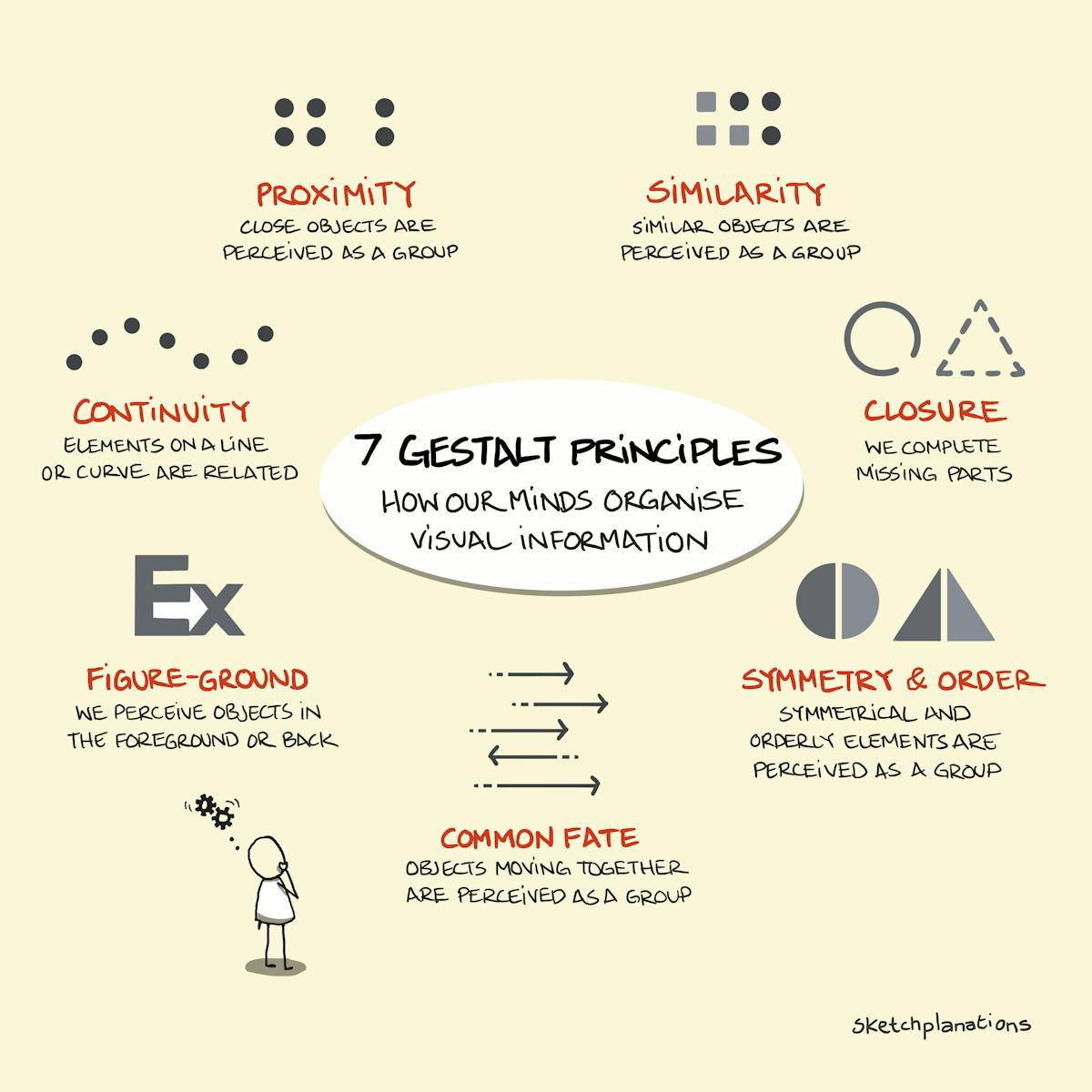
One word Gestalt...

Best regards
 
@ Dawstew, yeah, a 32" monitor would be the larger sweet spot. 24", mmv, the minimum sweet spot for multitouch usage. At work, I have two 32" non-touch monitors and was eyeballing that single size. Its basically perfect. Arms never have to reach out much farther than shoulder width. For me, the 24" inch is ergonomically perfect. I'll keep an eye out for you on a 32.

@ Sintil8, the Gestalt principles are right on target. While reading those characteristics, the experience with touching the monitor over Studio One kept validating this. Things like consistency can never be overstated. All great points to those principles. .

@ AAV, overlooking imperfections works for me as well. Making the best of tools....

Happy Holidays to all! 🎄 🕎 etc.
 
One weakness I came across. It was difficult to tap on and open any plugins on the mixer along the inserts and sends. I suspect adjusting mouse settings might fix that. I'll check. I could rarely double tap fast enough to get plugins to open. Once open, they're a breeze to operate. This was my only downer and required the mouse.
I think there is an inconsistency in how this is implemented for touch in S1. Many/most(?) (haven't attempted to quantify) plugs open on a Single touch or touch/slight hold, rather than double touch, which when you examine what's happening is actually opening, then closing right away. This was a gotcha for me too. I'd try a single touch instead. I'll try to pay more attention to which ones, etc. might be related to 3rd party versus Presonus, etc
 
I think there is an inconsistency in how this is implemented for touch in S1. Many/most(?) (haven't attempted to quantify) plugs open on a Single touch or touch/slight hold, rather than double touch, which when you examine what's happening is actually opening, then closing right away. This was a gotcha for me too. I'd try a single touch instead. I'll try to pay more attention to which ones, etc. might be related to 3rd party versus Presonus, etc
That is a great point, AAV. I will try that next time. From a touch-input standpoint, this makes perfect sense to first select the plug, hold, or even then proceed with the double tap. To some, this all may be a hassle (it's the world we live in), but from a gui sense of differenting that first touch might be to scroll, move, or other such gesture. Then the added hold or tap isn't really a problem as much as knowing the convention.

I hadn't thought about it. I'll try that in a few hours. 👍
 
Last edited:
Back
Top