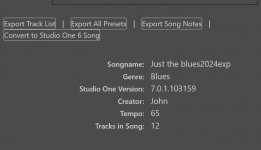
I only converted it to prove a point that SSP2 animator will synch correctly in v 6. I'm assuming I can still use v6 to create new projects. Correct?
If so, my question is how long will I be able to use v6 to create new projects because the anomaly I'm experiencing in v7 apparently isn't going to be corrected anytime soon.

John B
Do you have the exact same settings in Studio One 6 and 7 when it comes to Device Block Size, Drop Out Protection and Process Precision?
Here's what I'd like you to try....keep in mind, like I said, now that I understand what you are seeing, once you posted your screenshot, I KNOW of the issue you are having and have seen it with the Sunburst Guitar Deluxe. It only happens to me when latency is high...when I have more tracks that memory can handle. ALSO, I highly recommend you do NOT store your samples on your main C drive if you are. On top of that, I don't recommend you store your samples on a spinning drive, but rather a good SSD drive....THAT WILL HAVE A LOT to do with this. NEVER put a sample set on your main OS drive...you are asking for lag when you do that.
Now, back to what I was saying before....please try this...
1) Open a NEW blank song file in SO7. DO NOT have anything in your master bus chain. A clean, fresh, no FX session only. Put your Session Strings Pro in there.
2) Do your animator thing. Did it start where you expected or did you have to give it a 2 beat lead in?
2a) IF you gave it a 2 beat lead in, go to the Menu and select Studio One > Option > Audio Setup and select the Audio Device tab. Does it show YOUR audio interface that you expect?
2b) If not, drop down the menu and select your Audio Interface. For the love of all things Holy, make sure it does not say Windows Audio or ASIO4ALL. Those will not likely be able to handle Kontakt Instruments properly in newer DAWs. If those are your only options, SO7 is probably not going to work for you with Kontakt as between the OS and the engine in SO7 being more advanced is going to likely cause you latency problems. If that is the case, I highly recommend a newer Audio Interface. Presonus makes some great ones. I also highly recommend Focusrite.
3) Back to the Audio Device Tab. What is the Device Block Size set to? Hear me out here...this may seem unlogical because we've all been told to make that as low as possible. RAISE it up 2-3 settings. For example, if it's at 128, raise it to 256. OR even 512. Please note...doing this WILL affect your input lag. Do this JUST to test. When recording, lower it. When playing back, raise it. Yes. Annoying. But it's a fact of life when it comes to DAWs for some people.
3a) Play your song. Did that fix the 2 beat lead in thing? IF SO, your PC likely has issues with latency / SO7 and Kontakt. Kontakt is a HUGE resource hog. Not all is lost at this point. You might just need to optimize your PC for audio. That's a whole different subject that would be too in-depth for this post. Honestly, at this point, if you have the 2 beat thing figured out, just go with that. That's what I do when it happens to me. But again, this only happens to me when I have 30+ tracks of Kontakt running. I am all SSD and have a very high end PC though.
4) In that same area you were in, the tab next to Audio Device is Processing. Go there and turn OFF dropout protection if it's on. Also change the Process Precision to what ever it is not on. Try again. Did that fix? If so. WOOHOO. You're good to go. Dropout protection does NOT like Kontakt. AT ALL. It doesn't like a lot of sample libraries, to be honest.
5) Once you did ALL of that, close all that down and do the EXACT same steps in SO6. Make sure all your settings in Audio Device and Processing match.
If it works in 6 and is not working in 7, my recommendations are add more memory to your PC if possible. Get off of spinning hard drives and go to SSD only. IF possible, consider replacing the CPU in the PC to a faster one. (This is advanced work for most people, so if that's beyond you, you may have to have someone else do it for you). The other option, unfortunately, would be to consider a faster PC altogether. If you are on a laptop, consider changing to a full desktop. CPU and memory utilization (as well as heat issues) are much better on a Desktop PC.
Remember...KONTAKT is a HUGE resource hog and is likely really the driving force behind these issues. Also, I don't recall which version of Kontakt you have. If you have Kontakt 6, it's terrible. It almost seems like it wasn't ever optimized properly. Consider upgrading to K7. A LOT of my issues went away with K7. Also, consider Kontakt PLAYER 7 if you don't want to pay for the upgrade. It's FREE and SHOULD work with most NI libraries. (Note, it may not work with 3rd party libraries because of NI's greedy business practices). You will NOT lose access to a previous version of Kontakt if you upgrade, HOWEVER, if you upgrade your libraries to be K7 supported, you will hate yourself. Again, NI is greedy.