

-
Hi and welcome to the Studio One User Forum!
Please note that this is an independent, user-driven forum and is not endorsed by, affiliated with, or maintained by PreSonus. Learn more in the Welcome thread!
You are using an out of date browser. It may not display this or other websites correctly.
You should upgrade or use an alternative browser.
You should upgrade or use an alternative browser.
Midi Insert
- Thread starter tonelabaudio
- Start date


Skijumptoes
New member
The closest to MIDI Inserts are the "Note FX", but there's only a few (Arp, Chorder, FIlter etc.)
In regards to the transformer you can create macros in FSP and create buttons for them that sit above the piano roll, or main timeline. But the Cubase transformer goes much deeper and is in real-time. Macros are more similar to Cubase's Project Logical Editor (PLE).
Depends what kind of tasks you wanting to carry out really - presuming real-time manipulation of some sort?
In that case, there's a third method where you can use VST Midi plugins (Such as plugin boutiques "Scaler") that sit on one track, and their 'MIDI Out' can be routed out to other tracks 'MIDI In' projects in real-time.
This has the advantage of the generated/transformed MIDI being recorded on the target track. Basically any VST MIDI FX can be used routed in this way.
In regards to the transformer you can create macros in FSP and create buttons for them that sit above the piano roll, or main timeline. But the Cubase transformer goes much deeper and is in real-time. Macros are more similar to Cubase's Project Logical Editor (PLE).
Depends what kind of tasks you wanting to carry out really - presuming real-time manipulation of some sort?
In that case, there's a third method where you can use VST Midi plugins (Such as plugin boutiques "Scaler") that sit on one track, and their 'MIDI Out' can be routed out to other tracks 'MIDI In' projects in real-time.
This has the advantage of the generated/transformed MIDI being recorded on the target track. Basically any VST MIDI FX can be used routed in this way.
Last edited:
OP
OP
tonelabaudio
New member
Thank you both @sintil8 and @Skijumptoes for chiming in. My apologies for not providing more details. I use VE Pro to host my sample libraries and use the midi transformer feature to enable / disable instrument tracks at my discretion. Works as I expect it to in CB 15.x Pro but was hoping to do the same in FSP 8.x. I suppose that I will have to switch between both DAWS as the need / project demands it.
The Transformer in C/Base is a useful tool, the last time I used it, it was many moons ago.
Just a thought if you have time...
It might be worth running us through the process in case there is any alternative way to get the same outcome in SO1/FSP
Best regards
Just a thought if you have time...
It might be worth running us through the process in case there is any alternative way to get the same outcome in SO1/FSP
Best regards
Last edited:
Skijumptoes
New member
Are you using MIDI channels to switch instruments, or key switching via MIDI note/cc data?
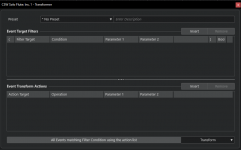
Perhaps attach a screenshot the transform tool with an example you use, if you want to see if you can recreate in FSP?
Perhaps attach a screenshot the transform tool with an example you use, if you want to see if you can recreate in FSP?
OP
OP
tonelabaudio
New member
When I get back to my studio I will provide a few screenshots that should give you a pretty good idea of what I am doing. @Skijumptoes do you mean switching articulations