lokeyfly
Well-known member
I'll give it a shot later. Having concrete done today. Vroom, vroom! ; )I've recreated (and tested) the macro - took me 5 minutes. Just out of curiosity, will it work for any of you? Does anyone want to try it?

I'll give it a shot later. Having concrete done today. Vroom, vroom! ; )I've recreated (and tested) the macro - took me 5 minutes. Just out of curiosity, will it work for any of you? Does anyone want to try it?

Seems to work here. Adds a ProEQ³, Compressor and Level Meter.I've recreated (and tested) the macro - took me 5 minutes. Just out of curiosity, will it work for any of you? Does anyone want to try it?
[...]
Please report here how it worked for you
[...]

That's great GerranSeems to work here. Adds a ProEQ³, Compressor and Level Meter.


I installed in on my Mac studio, but I can not find it in the search function.
Very cool little macro - but for reasons yet unknown - if I click Install on this thing from the Exchange Area - the macro does seem to find it's way into my macros folder - but is a no-show - anywhere in the Studio Pro UI.
Cannot find it anywhere.
Anyone else confirm?
VP

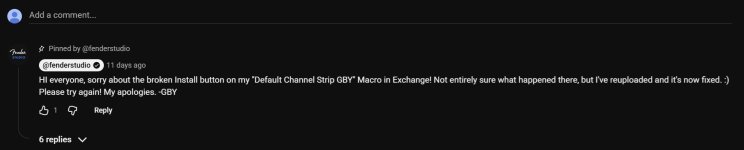
It can't be fixed. The macro itself works, but it tries to load a preset that is not available on the systems.I think Gregor fixed it.
I see, well I did see in his comment (see attached).It can't be fixed. The macro itself works, but it tries to load a preset that is not available on the systems.

Still no comment from Gregor on this.the video should explain the entire process - from end to end - starting with creation of the strip and ending with the macro to launch it.
I''m beginning to wonder how much "We'll leave the light on for ya." is worth placing here. Add this in the pile of bad judgment calls on their part.Leaving it as it is - is simply going to lead to more confusion and frustration - all which does not paint FSP in a good light in any way.
We use essential cookies to make this site work, and optional cookies to enhance your experience.