• Hi and welcome to the Studio One User Forum!

    Please note that this is an independent, user-driven forum and is not endorsed by, affiliated with, or maintained by PreSonus. Learn more in the Welcome thread!

SongLens v.1.0.7: A free .song catalog browsing utility for Windows users is available for download.

SongLens 1.0.7 is now available​

SongLens 1.0.7 is a substantial usability and metadata-viewing update. It adds more ways to inspect Studio One songs, improves Advanced Search, expands snapshots and exports, and streamlines several everyday workflows.

A note to any interested Mac folks: The port from Windows is going slowly, but going nonetheless.

Downloads:

Advanced Search improvements​


Advanced Search is now easier to build and manage:
  • Add and remove rules directly within each search row.
  • Match either all rules or any rule.
  • Save frequently used searches.
  • Clear the current search from the dialog.
  • Search text, numbers, dates, notes, tracks, instruments, folders, and other metadata.
  • Create a snapshot of the current Advanced Search results.
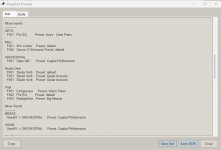
Advanced Search result snapshots preserve exactly what is displayed in the song grid:
  • Visible columns
  • Column order
  • Current sorting
  • All matching rows
Results can be previewed and saved as plain text or JSON.

New Groups and Mixer details​

A new Groups tab displays Studio One group or folder names together with their assigned tracks.

The Mixer tab now has separate sections for:
  • Main
  • Inserts
  • Sends
Mixer Main also separates Pre and Post plugin chains when that information is available in the song.

Track instrument detection has been improved so SongLens is more likely to show the actual routed instrument instead of repeating the track name.

Snapshot and export improvements​

Snapshots now support:
  • Groups
  • Mixer Main, Inserts, and Sends
  • Text and JSON previews
  • Advanced Search result grids
  • The current “With Events” track filter
When “With Events” is enabled, snapshots include only tracks containing assigned events and clearly label the section as “Tracks With Events.”

CSV exports can also include Groups and the expanded mixer information.

Faster song-grid workflow​

Several frequently used controls now sit directly above the song grid:
  • Recently Viewed
  • Change Columns
  • Snapshot or Snapshot Results
The Change Columns button lets you choose exactly which fields appear in the song list.

Recently Viewed tracks songs you intentionally select while avoiding unnecessary entries caused by automatic folder loading.

Folder and date filtering​

The song filter now supports:
  • Showing all songs
  • Songs older or newer than a specified number of days
  • Songs between two dates
  • Filtering by Created or Modified date
Folder-selection behavior has also been refined, and Collapse All returns the folder tree to the top.

Preferences and interface updates​

The Preferences dialog has been reorganized with:
  • Clear descriptions beneath each option
  • A dedicated Startup Options section
  • Light and Dark theme choices
  • Independent font-size controls
  • Options to restore the previous filter, view, or Advanced Search
For those who are interested, you can now open the selected .song from the right-click menu in the Song Grid. If you have no interest, you can turn off the option in Preferences.

You can also choose which detail tabs are visible and use Sticky Tabs to keep the current detail tab selected while moving between songs.

This release also includes:
  • Improved theme consistency
  • Cleaner Attributes labels
  • Friendlier Studio Version names
  • Better dialog sizing and alignment
  • Expanded documentation and wiki pages
  • Numerous smaller layout and workflow refinements
SongLens runs locally on Windows
 

Attachments

  • SL_Snapshot.jpg
    SL_Snapshot.jpg
    47,4 KB · Views: 3
Last edited:
  • Love
Reactions: AAV
Just incredible Doc. Thanks so much for all your hard work. I will dig into this this evening. What a fantastic list of new features and enhancements! 🤩
 
Doc this is really outstanding. So useful. Real nice job to include Mixer channels, inserts and channels. Interface is nice and professional. Thanks again for your incredible generosity. 👍 🙏
 
Doc this is really outstanding. So useful. Real nice job to include Mixer channels, inserts and channels. Interface is nice and professional. Thanks again for your incredible generosity. 👍 🙏
I agree
 
Doc - awesome update...but....

I just installed - over an existing v1.06 install - and none of my songs open at all. Ideas?

VP
 
Doc - awesome update...but....

I just installed - over an existing v1.06 install - and none of my songs open at all. Ideas?

VP
Let's narrow it down. You have a song selected in the Song Grid, and when you right click you get a menu that gives you the option to launch in the version the song was last saved in, as well as any other versions you have installed? so far so good? When you click to open the file in the selected version.....nothing happens?
 
Let's narrow it down. You have a song selected in the Song Grid, and when you right click you get a menu that gives you the option to launch in the version the song was last saved in, as well as any other versions you have installed? so far so good? When you click to open the file in the selected version.....nothing happens?

Doc,

Not sure what the "grid" is - but will assume you are talking the listing in the mid UI area? Mine is empty.

Walk with me - when I fire up the app - I see my string of 20 or so "active" songs on the left tree - I click on any node - and that shows nothing anywhere.

So then I go to View->View Filter and I think I may have found the issue:

1783957711726.png


Exactly none of my songs are less than 30 days old. So I switch to this:

1783957776659.png


And click OK - and just for this specific moment - I can see a long list of "stuff" appear in the "grid" in the middle of the UI.

But as soon as I click on any song on the left tree AFTER this - the view snaps back to Less than 30 Days old and I see nothing.

I think this is a bug - with that "View All Songs" simply not taking hold after making the change in the View Filter dialog.

VP
 
Doc,

Not sure what the "grid" is - but will assume you are talking the listing in the mid UI area? Mine is empty.

Walk with me - when I fire up the app - I see my string of 20 or so "active" songs on the left tree - I click on any node - and that shows nothing anywhere.

So then I go to View->View Filter and I think I may have found the issue:

View attachment 3720

Exactly none of my songs are less than 30 days old. So I switch to this:

View attachment 3721

And click OK - and just for this specific moment - I can see a long list of "stuff" appear in the "grid" in the middle of the UI.

But as soon as I click on any song on the left tree AFTER this - the view snaps back to Less than 30 Days old and I see nothing.

I think this is a bug - with that "View All Songs" simply not taking hold after making the change in the View Filter dialog.

VP
yup. it's a bug alright. Until I get a fixed version out., try the following.

Set the filter to "View All Songs" and click OK

1783961461448.png


Open "Preferences" and click "Restore previous filter...." and OK. Then File->Exit. Start the app again and it should hold any changes to the filter setting from that point on.

1783961621144.png


btw. This is the "Song Grid". If you select a folder that only has one .song file in it, it should show up here.
1783961929949.png


Thank for reporting this. I'll figure out where things went wrong and have a fix out ASAP.
 
yup. it's a bug alright. Until I get a fixed version out., try the following.

Thank for reporting this. I'll figure out where things went wrong and have a fix out ASAP.

Tried those steps - the filter does not stick for me.

Even did a full uninstall (with NSA level cleanup) and then a clean reinstall - and it still does not work.

The issue (as I see it) - is with the tree on the left side - even after exposing "All Songs" under Filters - as soon as I click anywhere in that tree after that - the app zips back to filtering to less than 30 and shows me nothing.

Will wait for the next fix.

Cheers

VP
 
Last edited:
Tried those steps - the filter does not stick for me.

Even did a full uninstall (with NSA level cleanup) and then a clean reinstall - and it still does not work.

The issue (as I see it) - is with the tree on the left side - even after exposing "All Songs" under Filters - as soon as I click anywhere in that tree after that - the app zips back to filtering to less than 30 and shows me nothing.

Will wait for the next fix.

Cheers

VP
Apologies for that bad bug. I had a pretty good track record going up until this.

Anyway, here's the link to v1.0.8 (https://github.com/askinner432/SongLens/releases/tag/v1.0.8).

If you do have an issue, I'd suggest deleting the "SongLens" folder at %LOCALAPPDATA%\. This will reset your SongLens profile to a fresh install. I don't expect this will be necessary, but it's there if you need it.

Let me know if this fixes the issue. I'll advertise it after you affirm the fix. Thx

Doc
 
Back
Top