
I wanted to build a simple macro to set the event color to its initial state that is the track color. In the context menu you would chose the black&white icon in the color palette. When I want to select this color in the macro, it is the color "0". But when I run the macro, instead of resetting the color of the selected event, it opens the color palette.
Is there a way to address the "reset color" or is there a shortcut to reset the event colors of a selected track to all it#s events?
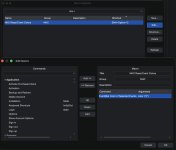
Is there a way to address the "reset color" or is there a shortcut to reset the event colors of a selected track to all it#s events?
