
-
Hi and welcome to the Studio One & Studio Pro User Forum!
Please note that this is an independent, user-driven forum and is not endorsed by, affiliated with, or maintained by Fender. Learn more in the Welcome thread!
You are using an out of date browser. It may not display this or other websites correctly.
You should upgrade or use an alternative browser.
You should upgrade or use an alternative browser.
Now this is pretty cool....
- Thread starter Vocalpoint
- Start date

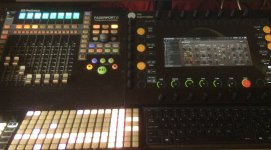
This could be interesting ! ...there are already some established players in this small form factor arena.Softube are now teasing a new hardware controller of some sort. The 'small footprint' tag and study of the photo suggests it's a generic plugin controller (rather than Softube plugins only) in a smaller form factor than the Channel 1 Mk 3, but with similar control aesthetics to the Flow Studio. The announcement is obviously fairly imminent, so don't go buying anything for a few days...
View attachment 3630
DJ Tech tools Midi fighter, Oxi E16, Intech studio grid, and other's. It will be interesting to see what features and price point they are going for.
As I said, interesting times for midi controllers.

Kindest regards.

TimC340
Well-known member
I studied the photo quite carefully and compared it with my Flow Studio. Looks like 14 encoders (three curved rows of 4 plus one each side at the bottom) and an unknown number of buttons - some illuminated, some not. I’d guess it’s the same depth as all their controllers and about half as wide again as the Flow Studio. Just from the size and knowing their other stuff, you’re probably looking at around $5-600. Just need to know what it actually does!

TonalDynamics
Active member
Not a fan of touch screen controls, lack of tactile feedback is night and day for me.
I've used such devices and the truth is, because you can't feel what you're doing, you end up looking at the little touch screen constantly and that ends up being an even bigger distraction than just using the damn mouse.
Similar sentiment to the Slate Raven concept... looks cool but not super useful to a mixer like me.
Exception would be something like a stream deck, because it's button-based...
But continuous controllers on a touch screen? Woof.
Faderport forever!
I've used such devices and the truth is, because you can't feel what you're doing, you end up looking at the little touch screen constantly and that ends up being an even bigger distraction than just using the damn mouse.
Similar sentiment to the Slate Raven concept... looks cool but not super useful to a mixer like me.
Exception would be something like a stream deck, because it's button-based...
But continuous controllers on a touch screen? Woof.
Faderport forever!
Yes to the Faderport, but the MP Midi is not just a touch screen!Not a fan of touch screen controls, lack of tactile feedback is night and day for me.
I've used such devices and the truth is, because you can't feel what you're doing, you end up looking at the little touch screen constantly and that ends up being an even bigger distraction than just using the damn mouse.
Similar sentiment to the Slate Raven concept... looks cool but not super useful to a mixer like me.
Exception would be something like a stream deck, because it's button-based...
But continuous controllers on a touch screen? Woof.
Faderport forever!
Is this just a general touch screen comment
 I have no problem with.
In some respects, I find the idea that it's all about Fader's confusing. The channel strip on a main desk are covered in knobs and buttons
often feeding into a single fader...so knobs and buttons are a design fit for certain purposes. To each it's own use.
MP Midi, link to more information
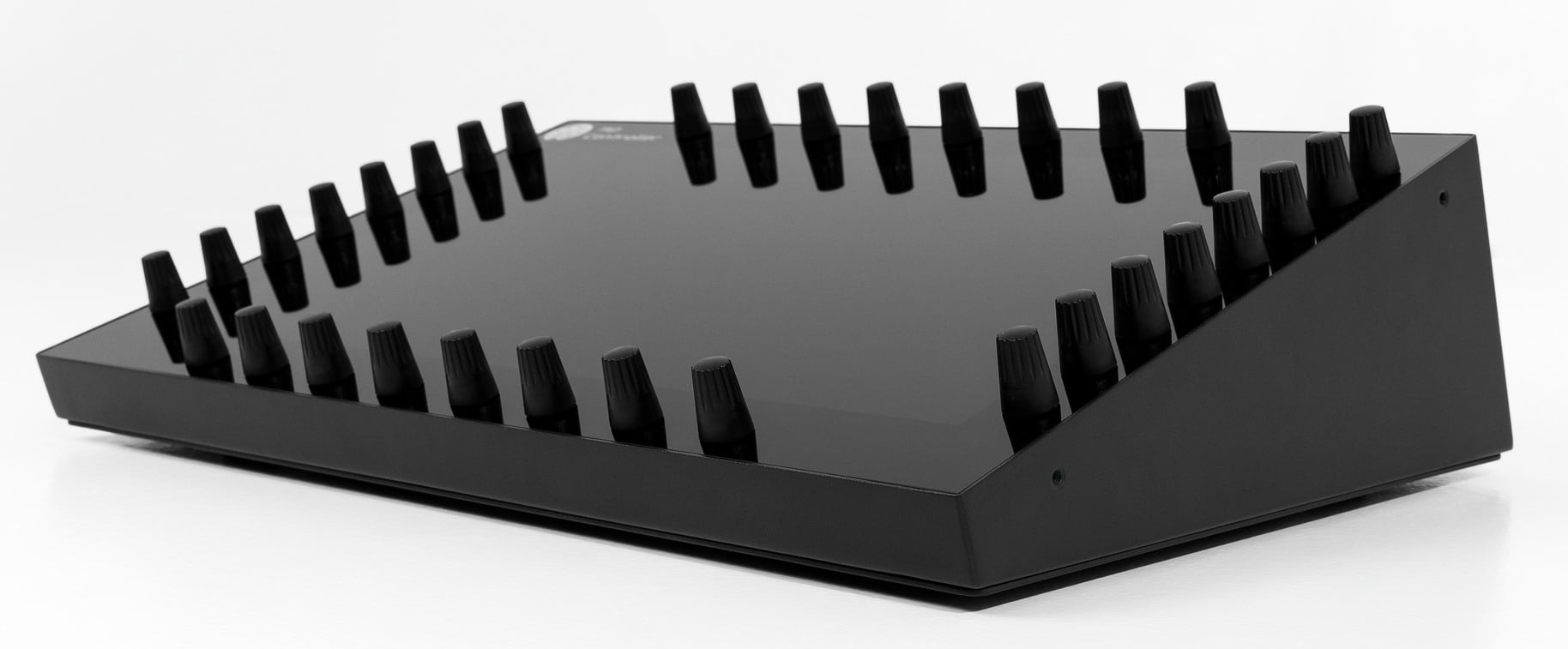
MIDI Plugin Controller Features: Touch, Faders, Auto-Map
Touchscreen MIDI controller with automatic plugin mapping for VST, VST3 and AU. Total recall, plugin chains, multi-DAW support. Control software like hardware.
 mpmidi.com
Kindest of regards
Last edited:

I'll upgrade from ioStation to FP8 or 16 some day ...Not a fan of touch screen controls, lack of tactile feedback is night and day for me.
I've used such devices and the truth is, because you can't feel what you're doing, you end up looking at the little touch screen constantly and that ends up being an even bigger distraction than just using the damn mouse.
Similar sentiment to the Slate Raven concept... looks cool but not super useful to a mixer like me.
Exception would be something like a stream deck, because it's button-based...
But continuous controllers on a touch screen? Woof.
Faderport forever!
VP,Brand new control surface for Studio One/Studio Pro...
Fender Studio & Studio One Control Surface | MP MIDI Controller
Control surface for Fender Studio and PreSonus Studio One. Hands-on control of native devices, the mixer and AU/VST2/VST3 plugins, no setup required.mpmidi.com
Discuss...
VP
after installing the the FSP8 and giving it a very short test run. I think my FPort and MP Midi setup suits my needs as is.
I think someone without a FPort will probably be happy to use the template and would welcome this free update.
One advantage is the control of the FSP stock plugins, which appeals, but is not essential for my setup and use.
There are Pro's and Con's as always, if time allows, I will be contacting the folk at MP Midi with some questions.
It would be far more useful if there were other folk out there that have an MP Midi. Maybe a different perspective or view is needed.
Kindest regards.

Jemusic
Active member
It is interesting though that you are using Faderport as well for the faders which is what I have been saying. You need them. And it is great both things can work so well together. Do you prefer using the transport controls from Faderport as well. I find they are easy to use and I don't even have to look at them actually.
Can you edit software instruments while they are in stand alone mode. And not using the DAW? That would be a nice feature. If not maybe they will update it.
Last edited:
I have the transport covered from 4 different sources, but yes the FPort is there where I need it..It is interesting though that you are using Faderport as well for the faders which is what I have been saying. You need them. And it is great both things can work so well together. Do you prefer using the transport controls from Faderport as well. I find thery are easy to use and I dont even have to look at them actually.
The function on the FPort channel sel and other functions for the Daw the MP Midi. handles Fx panels and Vsti's Gui's.
I try to keep it simple and straightforward.
I could get by with the MP midi FSP8 template if I did not have the FPort tho'
I have been collecting bits of kit over many years keeping the bits and pieces I find work well together for what I do.
Sadly, no to the standalone instruments, but I have some bits of hardware that can... If it's CC or NRPN data controlled.
Best regards
Last edited:
TimC340
Well-known member
We know what it is now: https://www.softube.com/uk/console-1/console-1-compact?vtid=dCi6G4hk3EKoj7QuATY1sg&utm_source=Voyado&utm_medium=email&utm_campaign=PRODUCT – Console 1 Compact - Kick-off - ROW/UKI studied the photo quite carefully and compared it with my Flow Studio. Looks like 14 encoders (three curved rows of 4 plus one each side at the bottom) and an unknown number of buttons - some illuminated, some not. I’d guess it’s the same depth as all their controllers and about half as wide again as the Flow Studio. Just from the size and knowing their other stuff, you’re probably looking at around $5-600. Just need to know what it actually does!
Edit: they've also confirmed they're going to do a DAW transport controller and are actively seeking opinions on the forum or by email about what it needs to incorporate.
Last edited:
TonalDynamics
Active member
We know what it is now: https://www.softube.com/uk/console-1/console-1-compact?vtid=dCi6G4hk3EKoj7QuATY1sg&utm_source=Voyado&utm_medium=email&utm_campaign=PRODUCT – Console 1 Compact - Kick-off - ROW/UK
Edit: they've also confirmed they're going to do a DAW transport controller and are actively seeking opinions on the forum or by email about what it needs to incorporate.
Uh... 16 knobs on a controller for $500? With a little 1 inch. wide LED display? Wtf?
And in this buyer's market, how utterly tone deaf.
I can go on Ebay or Reverb right now and get a used Faderport 8 for $200 within a couple of days from like 30-40 listings across both sites.
No thanks...
What a whiff from Softube
TimC340
Well-known member
I think that’s a bit harsh! It’s not cheap (though it’s cheaper than my guess - it’s around $450) but its built-in mapping of plugins from Softube, FabFilter, UA, SSL and more is impressive, and its integration with Cubase’s native plugins in particular is excellent. It’s compatible with most DAWs but not particularly deeply in the case of Studio Pro - as with NI, it seems Fender haven’t been willing to open the hood for Softube to achieve deeper integration.
Dom Sigalas has done an interesting video showing the capabilities of this box, particularly with Cubase. Dom is definitely a Softube and Cubase shill, but it’s still quite impressive. However, Nektar’s CS12 does the same job, has proper transport controls, a bigger (lo-res) display, and a motorised fader, is properly integrated with Studio Pro - and is around 2/3 the price…
Dom Sigalas has done an interesting video showing the capabilities of this box, particularly with Cubase. Dom is definitely a Softube and Cubase shill, but it’s still quite impressive. However, Nektar’s CS12 does the same job, has proper transport controls, a bigger (lo-res) display, and a motorised fader, is properly integrated with Studio Pro - and is around 2/3 the price…
I think that’s a bit harsh! It’s not cheap (though it’s cheaper than my guess - it’s around $450) but its built-in mapping of plugins from Softube, FabFilter, UA, SSL and more is impressive, and its integration with Cubase’s native plugins in particular is excellent. It’s compatible with most DAWs but not particularly deeply in the case of Studio Pro - as with NI, it seems Fender haven’t been willing to open the hood for Softube to achieve deeper integration.
Dom Sigalas has done an interesting video showing the capabilities of this box, particularly with Cubase. Dom is definitely a Softube and Cubase shill, but it’s still quite impressive. However, Nektar’s CS12 does the same job, has proper transport controls, a bigger (lo-res) display, and a motorised fader, is properly integrated with Studio Pro - and is around 2/3 the price…
The Nektar CS12 is a useful controller, had I not had the F/Port8 might have bought that myself.
Bit of a sidestep re, the Softube SO1/FSP integration, the original Console One hardware has a reasonable level of integration for it's use in a Daw, including SO1/FSP so they probably already know what's under the hood, time may tell ?
Random thought.
They seem to be missing one trick with this new device, for it to operate as a device control for the Vst's running on the Flow device. So if the Flow has a, EQ, comp, reverb chain you can get at those and edit via the Console One Compact hardware and not require the use of the Flow editor app.
If they do throw out a Daw controller, I would hope they slap a USB hub+power so these smaller units can talk to each other as an integrated unit and also reduce the need for excess USB ports on the puter.
Kindest regards.
TimC340
Well-known member
The Console 1 Mk3 and the Console Compact have exactly the same capabilities and integrations; the Compact simply doubles up on the functions of its fewer knobs and buttons. As for the Flow plugins - they're all accessible via the Compact as far as I can tell. The Flow simply (well, not simply, but YKWIM) combines multiple (Softube only) FX VSTs in preset algorithms to hugely speed up workflow for a 'rough and ready' mix.
What would be cool in my head is for the compact to be able to address the same plugins that the Flow hardware is using. That way if you wanted to make a change, for instance, to an EQ band in flow the compact can talk to that EQ. If that makes sense.The Console 1 Mk3 and the Console Compact have exactly the same capabilities and integrations; the Compact simply doubles up on the functions of its fewer knobs and buttons. As for the Flow plugins - they're all accessible via the Compact as far as I can tell. The Flow simply (well, not simply, but YKWIM) combines multiple (Softube only) FX VSTs in preset algorithms to hugely speed up workflow for a 'rough and ready' mix.

Kindest regards
TimC340
Well-known member
Console 1/Compact can address them as independent VSTs, but it can't 'intercept' them within the Flow macros as that's happening (at least partially) within the box. Softube describe them as operating 'in tandem' rather than being two hardware methods of controlling the same thing - the Flow Studio is specifically aimed at the Flow Suite, which of course the Console 1 isn't.What would be cool in my head is for the compact to be able to address the same plugins that the Flow hardware is using. That way if you wanted to make a change, for instance, to an EQ band in flow the compact can talk to that EQ. If that makes sense.
Kindest regards
I'd turn that around and ask for the Flow Studio to be able to edit plugins from all the same manufacturers that the Console 1 can do - and use its larger hi-res display to enable that editing to be done off-monitor. They've hinted that something along those lines may be possible in future, so let's hope!


SwitchBack
Well-known member
I'm still struggling with the thought of having to translate, in my head, the GUI's knobs I see on the DAW's screen(s) to the layout of the knobs on the controller every time I switch from one plugin to the next. It means that I have to look thrice, first at the screen, then at the controller, and then back at the screen to start making changes. That can't be an efficient workflow. It's not like a mouse where hand movements are reflected by the cursor on the screen as positioning is completely disconnected. So for some plugins it may work because the layout of the controller matches the layout of the plugin selected, but then for all other plugins it won't. And I don't want to have to look at the controller knobs at all, for any reason. Who watches his/her mouse?
So rather than having to move my hands I would have one hand on the controller knob and the other hand selecting something on the screen (by touch or mouse), my eyes would be on the screen or anywhere else but not on my 'controller hand', and rather than 15 'OK' rotary encoders my controller would have two (for switching hands) of the best encoders money can buy, endless, with haptic feedback and click function. But that's me
So rather than having to move my hands I would have one hand on the controller knob and the other hand selecting something on the screen (by touch or mouse), my eyes would be on the screen or anywhere else but not on my 'controller hand', and rather than 15 'OK' rotary encoders my controller would have two (for switching hands) of the best encoders money can buy, endless, with haptic feedback and click function. But that's me