-
Hi and welcome to the Studio One & Studio Pro User Forum!
Please note that this is an independent, user-driven forum and is not endorsed by, affiliated with, or maintained by Fender. Learn more in the Welcome thread!
You are using an out of date browser. It may not display this or other websites correctly.
You should upgrade or use an alternative browser.
Moises options not showing up
- Thread starter k2347
- Start date


TheBassBagwhan
Member
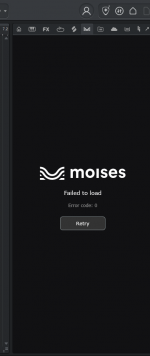
When you say "Blank brown screen" do you mean none of the tools? When I click on the Moises tab I don't see any of the three tools. Just the Moises name and icon. Did your fix correct this? Apparently it's installed and activated for me... Thanks!
Lawrence23
New member
The same happens to me. I have the Enable High-DPI option unchecked as well. Have you resolved our issue or is this still not working for you? Once I also got an error saying Moises could not load. See attached error message.When you say "Blank brown screen" do you mean none of the tools? When I click on the Moises tab I don't see any of the three tools. Just the Moises name and icon. Did your fix correct this? Apparently it's installed and activated for me... Thanks!