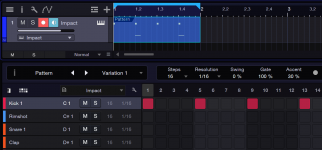
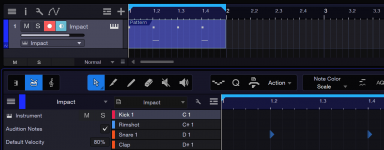
This might be a beginners question: I'm working on a session and created a pattern event on an instrument track using NI Battery. Now I create another instrument track to record a pad sound to an empty track while the pattern editor is still open, as I didn't close the editor manually.
Although I selected the second instrument track, the pattern event on the first track is still selected. When I start recording my synth pad, the opened pattern editor activates "record arm mode" and records my chords in addition to the instrument track with my synth-plugin.
So my question is: is there a setting to automatically deselect all events on a track, when the track is no longer selected? Or is there another way to not unintentionally recording notes while the pattern editor is still open?
Although I selected the second instrument track, the pattern event on the first track is still selected. When I start recording my synth pad, the opened pattern editor activates "record arm mode" and records my chords in addition to the instrument track with my synth-plugin.
So my question is: is there a setting to automatically deselect all events on a track, when the track is no longer selected? Or is there another way to not unintentionally recording notes while the pattern editor is still open?
Last edited by a moderator: