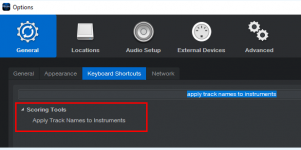
I am using the new "Scoring Tools 2.0 for Studio One" macro library written by Lukas Ruschitzka.
The 'Apply track names to instruments' function appears to be unresponsive in both Fender Studio Pro and Studio One 7 Pro. Despite following the manual—selecting multiple Kontakt tracks and triggering the command—the internal instrument names won't update to match the track names. Has anyone else encountered this issue?


The 'Apply track names to instruments' function appears to be unresponsive in both Fender Studio Pro and Studio One 7 Pro. Despite following the manual—selecting multiple Kontakt tracks and triggering the command—the internal instrument names won't update to match the track names. Has anyone else encountered this issue?
Last edited: