Providing more information about your studio setup will be helpful, most of which you can put in your signature or profile.
For example, knowing whether you are using Mac or Windows will be helpful.
Based on what, my best guess is that you are asking about the hardware Tonex pedal rather than the VST effect plug-in, because using the Tonex VST effect plug-in is straightforward and works nicely.
I am keying on "usb source" and "up to date drivers", neither of which applies to the Tonex VST effect plug-in.
If you are asking about the hardware Tonex pedal, then the rules are a bit different.
Without thinking about it a while, I am not certain whether you can use the hardware Tonex pedal as an effect, although I suppose there is a way to do it.
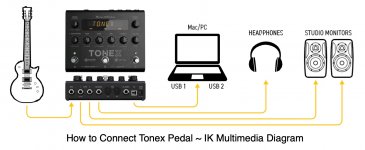
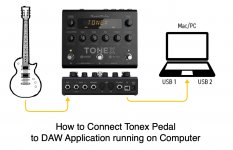
If I had a hardware Tonex pedal, then I would plug an electric guitar into it and then take the output and connect it to the Mac or Windows computer running PreSonus Studio One or the newer Fender Studio Pro 8. ]
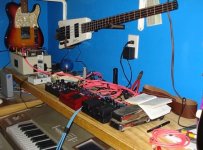
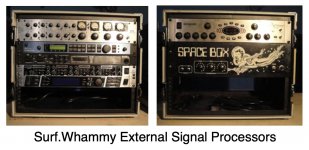
I have a lot of guitar pedals, which I purchased before I discovered AmpliTube ((K Multimedia), which was a good but expensive way to learn about effects pedals, since all the effects pedals cost at least $5,000 as compared to perhaps $100 for AmpliTube; but even then you need something to get the electric guitar signal into the computer, although if you are using real effects pedals, then the output of the effects pedal is what you need to get into the computer, and that depends on whether the outputs are analog (TRS), in which you need an external digital audio and MIDI interface.
However, some devices connect to the computer via USB, so it depends on what you are doing and the equipment with which you are doing it.
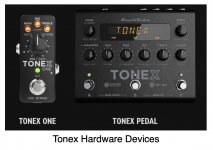
Making it a bit more complex to guess, there are several different hardware flavors of Tonex.
Because you mentioned 'usb source", I will presume its the full hardware Tonex pedal; in which case you will connect your electric guitar to the Tones pedal and then will connect the Tonex pedal output to your computer.
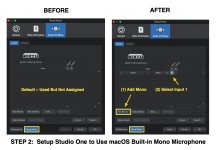
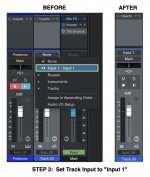
From there the Digital Audio Workstation (DAW) application (PreSonus Studio One Pro 7.2.3 or Fender Studio Pro 8) will need to be configured to see the Tonex pedal as an Input source for an Audio Track, which if it works the way I think it works--since at present I do not have a Tonex foot pedal--will be pretty much the as a B.L.U.E. Snowball USB microphone.
At the moment, I have no idea whether you can send audio from the DAW to the Tonex foot pedal and then have Tonex do something and send the resulting audio back to the DAW.
I think if you want to do it that way, then the best solution is to use the Tonex VST effect plug-in rather than the hardware Tonex foot pedal.
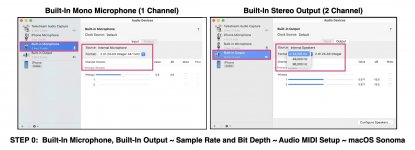
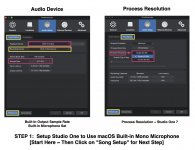
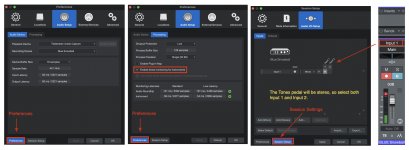
You will find some relevant images attached to this post, where the the physical input source will be a B.L.U.E. Snowball USB microphone, which conceptually will be the same as connecting a physical Tonex foot pedal to your computer via USB.
These are for macOS "Sonoma" 14.7.2, and it will be similar for a Windows machine. The screen captures are from PreSonus Studio One Pro 7.2.3, but they will be similar to the way it's done with Fender Studio Pro 8.
There will be one very important difference, which is that the output of Tonex will be stereo (two-channel) rather than monaural (one-channel) like the B.L.U.E. Snowball USB microphone or the built-in microphone for an iMac.
Observe also that Tonex output is standard CD quality (44,000 samples per second), which will need to match the way you have your DAW configured.
If I have guessed correctly, then this should be enough general information for you to make progress on getting it working.

[
NOTE: The attached images are for using the built-in microphone of an iMac; so I will do another set of images for a B.L.U.E. Snowball USB microphone, which shouldn't take very long, since I have a system for doing these types of configuration images that I use in the volumes of my ongoing series, "The Art of Digital Music Production", which at present is available from Amazon own Kindle eBook format. ]