Hello all,
New to this forum but long time user of studio one, I am still struggling time to time with understanding how tempo mapping works, specially when time stretching algorithms get involved.
My situation is:
1. I recorded two free tempo clips, that I tempo mapped in the tempo track.
2. Everything is fine, as long as I don't change anythging.
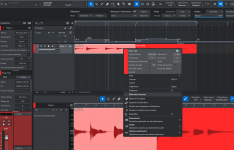
3. Now, I would like to switch the whole thing to tempo 120 BPM: when I delete all tempo variations, everything gets wrong, whatever the choice in the temp menu (don't follow, follow, timestretch)
There is something I do wrong somewhere. Any suggestions ? Thanks
New to this forum but long time user of studio one, I am still struggling time to time with understanding how tempo mapping works, specially when time stretching algorithms get involved.
My situation is:
1. I recorded two free tempo clips, that I tempo mapped in the tempo track.
2. Everything is fine, as long as I don't change anythging.
3. Now, I would like to switch the whole thing to tempo 120 BPM: when I delete all tempo variations, everything gets wrong, whatever the choice in the temp menu (don't follow, follow, timestretch)
There is something I do wrong somewhere. Any suggestions ? Thanks