• Hi and welcome to the Studio One & Studio Pro User Forum!

    Please note that this is an independent, user-driven forum and is not endorsed by, affiliated with, or maintained by Fender. Learn more in the Welcome thread!

Studio Verb sending CPU usage to 100% when not playing

MorenoZ

New member
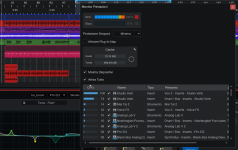
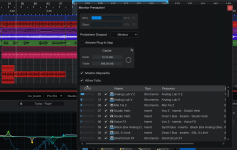
I'm having a problem: in this project I have two instances of Studio Verb, one on a bus and one on a track - when the song is playing, the CPU usage is under control, as you can see in the picture attached. After hitting the stop button or space on keyboard, the usage rapidly goes up to 100% and it stays there until the song starts playing again. Crackling and some stutters occours when the amount is at the maximum.
Disabling the two effetcs via resource monitor stops the issue.

Anyone experiences the same?
 

Attachments

  • studio verb cpu - play.png
    studio verb cpu - play.png
    676,1 KB · Views: 10
  • studio verb cpu - stop.png
    studio verb cpu - stop.png
    671,2 KB · Views: 10
That is very odd!
 
Sounds like a typical issue with denormals. Without going into details, those are very tiny floats that are computed instead of 0, because of the limited float precision. Most plugins have mathematical solutions for this problem nowadays. But algorithmic reverbs are especially vulnerable to this because of the smooth reverb tail that has to be computed and normally reaches zero. And denormals appear, where the signal should be zero.

To either proof or exlude denormals as issue, you could donwload a dither or special noise plugin, for example
Airwindows TPDF Dither
and place it before the reverb. It adds inaudible noise to the signal that eliminates denormals. Should it then stop processing at 100% when idling, this issue should be reported to Fender/PreSonus.
 
Back
Top