
-
Hi and welcome to the Studio One & Studio Pro User Forum!
Please note that this is an independent, user-driven forum and is not endorsed by, affiliated with, or maintained by Fender. Learn more in the Welcome thread!
You are using an out of date browser. It may not display this or other websites correctly.
You should upgrade or use an alternative browser.
You should upgrade or use an alternative browser.
Solved Studio Pro 8 Mixdown and Automation issue
- Thread starter Midiboy
- Start date

It might only happen when there's a certain (large?) number of automation points.The weird thing about is that I have another track that I just did and automation works fine on it and mixed just perfectly.
OP
OP

Midiboy
Active member
That is a good point. The track that worked had 11 tracks with one automation. The track that failed has 57 tracks with several automation events.It might only happen when there's a certain (large?) number of automation points.
@soundworks
New member
Hi everyone. I’m new to this form as well and unfortunately, I’ve encountered the same problem with an electric guitar bus that I added volume automation to. In this case, I can’t render the bus to audio like I could a track. It’s particularly frustrating because I’ll post a file for band members to listen to that was based on their feedback and the mix down doesn’t reflect the changes they suggested—not great for my credibility.
This is a pretty serious problem. I hope fender gets on it quickly.
This is a pretty serious problem. I hope fender gets on it quickly.
Are you aware that a bunch of us found out that the installer for Studio 8 asked to install a bogus C++ file and that all of us had Vegas crashing. The solution was to install the proper new runtime file. Look for the thread I started About Pro Studio 8 killed Vegasseemed to me, that it could be related to some external runtime libs and stuff like that

Timo
New member
I'm jumping in here.
Today I loaded a project created with Studio One Pro 7.2 into Studio Pro 8 to continue working on it. Everything, including automation (insert FX with stock and third-party plugins, volume, pan, send levels, stock and third-party instruments, etc.), exports correctly from S1 Pro 7.2.
Automation and sustain pedal information are not being included in the export for many tracks. Freezing only partially solved the problem. Furthermore, there are extreme pops and clicks as soon as CTC-1 is inserted as a mix FX in the master. The only solution is a steep volume automation curve in the track's mix channel to trick the engine into thinking there's a fade-in.
My current workaround is to finish projects created with 7.2 using that version.
Another workaround that helped with exporting was setting the dropout protection to maximum before exporting. That was never necessary with S1 Pro 7.2.
I'm going to create a new project in FSP8 with every conceivable automation scenario and see if this also happens with new projects that aren't carrying any "legacy" from previous versions.
Today I loaded a project created with Studio One Pro 7.2 into Studio Pro 8 to continue working on it. Everything, including automation (insert FX with stock and third-party plugins, volume, pan, send levels, stock and third-party instruments, etc.), exports correctly from S1 Pro 7.2.
Automation and sustain pedal information are not being included in the export for many tracks. Freezing only partially solved the problem. Furthermore, there are extreme pops and clicks as soon as CTC-1 is inserted as a mix FX in the master. The only solution is a steep volume automation curve in the track's mix channel to trick the engine into thinking there's a fade-in.
My current workaround is to finish projects created with 7.2 using that version.
Another workaround that helped with exporting was setting the dropout protection to maximum before exporting. That was never necessary with S1 Pro 7.2.
I'm going to create a new project in FSP8 with every conceivable automation scenario and see if this also happens with new projects that aren't carrying any "legacy" from previous versions.

khilts
New member
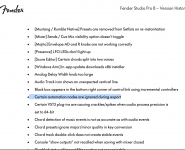
Unfortunately I still have an automation-related issue after the update to 8.0.1.
On an instrument track (Presence) with ProEQ as the only plugin, I have a single dynamic EQ band at 2kHZ with the non-dynamic gain for that band automated. It's full of crackles if the automation lane is enabled and in read mode. If I disable the automation lane -or- change the mode from Read to Off, the crackles go away. If rendered to audio, the crackles are also present.
On an instrument track (Presence) with ProEQ as the only plugin, I have a single dynamic EQ band at 2kHZ with the non-dynamic gain for that band automated. It's full of crackles if the automation lane is enabled and in read mode. If I disable the automation lane -or- change the mode from Read to Off, the crackles go away. If rendered to audio, the crackles are also present.
OP
OP
Midiboy
Active member
Are you on the latest version? This is an issue that was fixed in I believe the first update. The latest version is 8.03. As far as I know, all automation issues seems to have been fixed.I’m still having problems with automation during mixdown. Simple volume automation on the Mixtool plugin doesn’t work. Playback is fine, but after mixdown it’s completely ignored. The same happens with some solo and mute automation.
I ran another test. I created a mixdown of a short loop section where the volume automation (I do the volume automation with the mixtool plugin) is working correctly. When I render just that small loop, everything works as expected. However, as soon as I render the full song between the start and end markers, the automation is ignored. I don’t understand this behaviour. Since volume automation is crucial for a good mix, I’m now seriously worried about finishing my songs on time.
Last edited:
Additional information: If I freeze the bus track where the automation is applied, the automation is correctly rendered into the frozen audio. I also tried rendering the full mixdown both offline and in real time, but it doesn’t make a difference. In both cases, the automation is ignored. Don't understand this.
As an absolute Workaround if you have to finish something you can record your mix to a new audio track if the automation is correct in the playback.Additional information: If I freeze the bus track where the automation is applied, the automation is correctly rendered into the frozen audio. I also tried rendering the full mixdown both offline and in real time, but it doesn’t make a difference. In both cases, the automation is ignored. Don't understand this.
To make sure: Does your export window freeze? If so, try to move it with the mouse and take a look if the automation gets written after that. Don't ask me why, but this helped during older versions of this behaviour. And I have no clue what's the problem, I didn't see this problem in my projects for a very long time and at some point it was gone. Don't know if it was an S1 update, Win update, driver update, plugin update or whatever.
bailatosco
New member
I don't know if you can attach an ".ahk" file here.
But for years I've been using an AutoHotkey script that, when activated, every time you start exporting in SO/FSP it automatically grabs the export dialog and shakes it every 2 seconds or so.
I don't use FSP8, but I changed the name of the .exe file inside of the scripts to "Studio Prop.exe" so it should work.
Just in case the attachment doesn't go through, I will paste the text of the script here so anybody can make their own with AutoHotkey:
----------------------------------------------------------------------
CoordMode, Mouse, Screen
Z:=0
Loop
{
Sleep, 2000
WinWait, Please wait... ahk_exe Studio Pro.exe
WinGetPos, X, Y,,, Please wait...
X:=X+100 ; coordinates for empty spot in window title bar
Y:=Y+15
Click, %X% %Y% 0 ;move to coordinates but don't click
Click, Down
If Z = 0
{
X:=X+5
Y:=Y+5
Z:=1
}
else
{
X:=X-5
Y:=Y-5
Z:=0
}
Click, %X% %Y% 0
Click, Up
}
---------------------------------------------------------------------
I can't assure this absolutely solves the issue, meaning every millisecond and sample of automation curve will get printed in the export.
But it usually works.
But for years I've been using an AutoHotkey script that, when activated, every time you start exporting in SO/FSP it automatically grabs the export dialog and shakes it every 2 seconds or so.
I don't use FSP8, but I changed the name of the .exe file inside of the scripts to "Studio Prop.exe" so it should work.
Just in case the attachment doesn't go through, I will paste the text of the script here so anybody can make their own with AutoHotkey:
----------------------------------------------------------------------
CoordMode, Mouse, Screen
Z:=0
Loop
{
Sleep, 2000
WinWait, Please wait... ahk_exe Studio Pro.exe
WinGetPos, X, Y,,, Please wait...
X:=X+100 ; coordinates for empty spot in window title bar
Y:=Y+15
Click, %X% %Y% 0 ;move to coordinates but don't click
Click, Down
If Z = 0
{
X:=X+5
Y:=Y+5
Z:=1
}
else
{
X:=X-5
Y:=Y-5
Z:=0
}
Click, %X% %Y% 0
Click, Up
}
---------------------------------------------------------------------
I can't assure this absolutely solves the issue, meaning every millisecond and sample of automation curve will get printed in the export.
But it usually works.
Last edited: