Henrik
Member
Thanks, VP.Reported back on day 1 or 2 I believe. They are very aware.

Thanks, VP.Reported back on day 1 or 2 I believe. They are very aware.

I have come to the exact same conclusion.I do not use Drop-Out protection and I don't Monitor through FSP. These issues did not occur in previous versions for me. It seems to be caused by some sort of combination of different plugins (from different developers) in one song. When these plugins are used alone, there is no problem, but in a busy song with a variety of plugins, they seem to cause trouble.

I'm afraid that the randomness of this issue will take a long time to be repaired.
 "oh, our new plugin handling does not seem to work out there"
 "hm, ok, well, luckily we keep backups here and this is how plugins were handled in v7.2.3"
 "ah perfect! let's copy/paste these lines of code in here and push this hotfix out by tomorrow. Then we got time to figure out what the problem was"
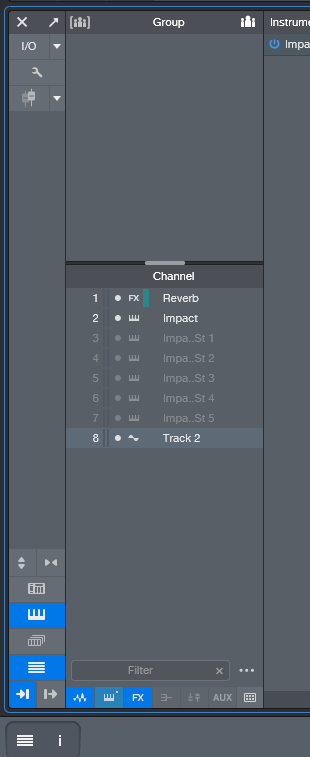
The new Mute Logic for Instrument channels is flawed.
I thought I was completly stupid, as I didn't got when V8 mutes or un-mutes the audio channel of an instrument track. I was so used to the V7 behaviour which makes complete sense once you understand why it's a good idea to do it like that.*NEW:
Muting an Instrument Midi track now mutes the correspondent Audio Channel as well BUT only if the Midi track selection is the same as the Audio Channel Selection. That causes problems, as shown in my video.

Ah, sorry, I didn't catch that...yup, Lukas' Video explains very well, why the NEW* Mute Logic is flawed.


Thanks for this video! I really like this new change. It also can be every useful when automating complex VI parts and in some cases a lot easier.

You get Tonalic Essential (a cut down version).Hi.
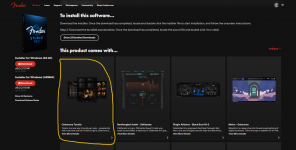
Celemony Tonaliс appeared in downloads on the Fender website.
It is given as a gift.
Yesterday I looked at the Celemony website - it is sold by subscription.
Is it interesting to see what happens next?
I wish you all peace!!!
It's not new when you come from V7.hanks for this video! I really like this new change. It also can be every useful when automating complex VI parts and in some cases a lot easier.

But...it's a perpetual license, not a subscription! Very cool.You get Tonalic Essential (a cut down version).
It's more of a competitor to Band in a Box than to virtual instruments like UJAM and EZ instruments.Why is it any better than UJAM, Toontrack etc?

It certainly makes BIAB look very good value! I've been using BIAB for 30-odd years, though only infrequently. I'm very fond of it, and it's certainly very powerful once you understand it. It could really do with a UI update to bring it in from the 1970s...It's more of a competitor to Band in a Box than to virtual instruments like UJAM and EZ instruments.
We use essential cookies to make this site work, and optional cookies to enhance your experience.