• Hi and welcome to the Studio One User Forum!

    Please note that this is an independent, user-driven forum and is not endorsed by, affiliated with, or maintained by PreSonus. Learn more in the Welcome thread!

Studio Pro 8 - Discussion Thread

I retired quite a few years ago and to be honest I struggle with this notion between Pro and hobbiest, i see myself more as a casual user. That doesn't preclude me from being experienced or dissintrested or from continuing to be creative. This daw is a tool for music creation, but the idea that it's a Gucci label driven software is misleading. Why should it be judged by what it's called ie. (supplement a brand name) and I find it devisive. You pay your money and hopefully enjoy it, that's my take. The ppl in the kitchen cooking up features are still the same folk.

The history of other Daws and failing is known. The idea that a buy out is a self fullfilling prophecy as a road to nowhere can be avoided.
Mark Twain " the rumours of my death... quote springs to mind.
Untill someone from Fender starts knocking nails in coffins were good to go.

Just a IMHO thing.

Kindest of regards
Completely agree and respect your take.
 
I do not use Drop-Out protection and I don't Monitor through FSP. These issues did not occur in previous versions for me. It seems to be caused by some sort of combination of different plugins (from different developers) in one song. When these plugins are used alone, there is no problem, but in a busy song with a variety of plugins, they seem to cause trouble.

The biggest change was, that Windows-Users were cut off from Logic and that was a disaster for me, because it forced me to go to Cubase at the time.

In my memory Cubase VST 5 and SX1 had annoying Audio/Midi Sync problems.. i think until SX 2 or 3 if I remember correctly.. but yeah, it was of course better than to stay on Logic 5.5 forever and ignore progress.

..back to FSP8 topic
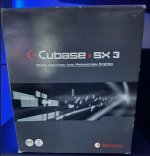
It was a bit flakey as you say. The very last version of SX3 was solid but I was still jumping from the older 5.1 till SX got sorted. Eratic CPU issue's down to audio/midi as you say. Funny enough I still have my boxed version of SX3 lol. Pretty sure it was around £540 at the time, a lot by today's standards. The years of SX 1-3 were the worst time I ever had with a DAW that was anything but stable.

Funny enough SX had just as much kick back over the new look vs 5.1 at the time. I never buy into it to be honest as long as it looks good to me I don't care. I still don't enjoy V8's new look but I ain't gonna cry over it.
 

Attachments

  • SX3.jpg
    SX3.jpg
    170,2 KB · Views: 26
Last edited:
Wow, thats a relic right there!
 
Wow, thats a relic right there!
I know lol I'm that old. Honestly it was the worst 2-3 years I ever had with a DAW. Nothing but problems SX was, it's not something you forget.
 
I don't know if you have sorted this out or not, if not you might start by checking one or two things.

Top line check your Installed Content, is that showing content.

Also, have a look in the "install options", bottom of your graphic (to the left of the green (install 1 items (15.00 MB)). What does that show?
It should point to your Fender Account as the download source and the locations that it will install packages to, is that all setup OK ?
The download directories can be set to a place of your choice, useful if you use seperate drives for samples etc.

If that is all OK you should be able to select what packages you want to install and click the green install button.

Best Regards
Thanks for the reply 🙏 Yes, I have made some progress. The problem was that my "Locations" were pointing to folders on my external SSD, which Fender Studio didn't seem to like! I reverted them back to the default locations, and after a few hours, was able to download all but one. I then moved the soundsets back t my SSD and changed the settings to suit. This last one "Cinematic Lights" just will not download whatever I do
🤷

UPDATE: Having said that, I've just checked in "Installed Content" and "Cinematic Lights" is showing as installed... Go figure 😉
 
Last edited:
I know lol I'm that old. Honestly it was the worst 2-3 years I ever had with a DAW. Nothing but problems SX was, it's not something you forget.
haha, didn't mean it like that, sorry.
Yeah it was a different kind of adventure back then, with the Akai S3000 as my main "VST-Instrument" and all..
We (as in primarily me) :) have really become spoiled brats nowadays..
 
Thanks for the reply 🙏 Yes, I have made some progress. The problem was that my "Locations" were pointing to folders on my external SSD, which Fender Studio didn't seem to like! I reverted them back to the default locations, and after a few hours, was able to download all but one. I then moved the soundsets back t my SSD and changed the settings to suit. This last one "Cinematic Lights" just will not download whatever I do 🤷
If Cinematic Lights is not playing nicely you should be able to download that directly from your Fender A/C.
Good you got it sorted.

Best of regards
 
After doing a 10-minute cinematic background for a presentation using mostly TOC4 and Opus, FOR ME Fender Studio PRO fits my needs. I think the key is that because I do video production using ProRes 5.8K, my computer was built to handle most projects I would "attempt". Studio PRO (like it's father, Studio One) is very easy to use and since I do most of my tuning in the Orchestra VST, so far it's been 100%. I still think the communication was poor about the changeover, that being said I'm not throwing away 6 years of muscle memory and changing DAWs. Also the $99 update was a hidden way of saying we're sorry if we did not let you know what was happening. With what is happening to the cost of all sorts of memory, how efficient a DAW is, will be a key factor over the coming months or few years about how you can get either your hobby or job done efficiently. My point is, whether you change DAWs, keep using an older version, or buy new, efficiency of resource use should be a key criteria. We all use different workflows and have specific needs besides the standard tools one expects in all major DAWs. For me, I am willing to risk that Fender is all in an industry that feels AI pressure and is responding with what it feels is a "reasonable" response rate of change. One thing in Fenders favor, is that live performances still have value and Guitars are the basis of many forms of live performances. In the end, CSNY said it best, Love The One You're With:).
 
haha, didn't mean it like that, sorry.
Yeah it was a different kind of adventure back then, with the Akai S3000 as my main "VST-Instrument" and all..
We (as in primarily me) :) have really become spoiled brats nowadays..
LOL. It's all good.
 
We use all the major DAWs to some extent here in our studio. Much of our work come from those that have used one of the DAWs to record their own music…to some extent. When they realize that their own recordings “don’t sound right” they bring the DAW files to us and ask that we “fix them” and produce a finished production. We use the original DAW files to extract unprocessed stems and then clean-up, mix, master and produce final files in the format the client requests. All the major DAWs have all the major features and capabilities of all the rest…one is about as capable as the others. Most have way too many “features” already…because new features that few people need allows the DAW developer to issue new paid versions. We would be thrilled if every DAW developer would take a year to just fix bugs…no new features…and we would be willing to pay for the next version that only offered major bug fixes.
 
Feature Request


Version 8 is running quite stable so far and comes with some nice new features. The integration with the free fender studio app works very well, for example—this is a really great addition.


One feature I’ve been missing for many years, though, is the following. I was hoping it would finally be included in the new version, especially since Fender might be putting more focus on guitar-oriented music. Unfortunately, palm mute notation is still not available. I would really like to notate all my electric guitar parts directly in Studio Pro. I do own Notion 6, but why use two separate programs when this would fit so naturally into Studio Pro? This small feature would be very welcome in a future update.


Another important point is MIDI implementation. Our band programs a lot of our live show using MIDI, but Studio Pro does not export MIDI multichannel data and also does not export program changes. Having to use an extra program for this is quite unfortunate. I really hope this will be possible in Studio Pro at some point.


Other than that, keep up the good work. It's a fantastic DAW!
 
  • Like
Reactions: THW
Feature Request


Version 8 is running quite stable so far and comes with some nice new features. The integration with the free fender studio app works very well, for example—this is a really great addition.


One feature I’ve been missing for many years, though, is the following. I was hoping it would finally be included in the new version, especially since Fender might be putting more focus on guitar-oriented music. Unfortunately, palm mute notation is still not available. I would really like to notate all my electric guitar parts directly in Studio Pro. I do own Notion 6, but why use two separate programs when this would fit so naturally into Studio Pro? This small feature would be very welcome in a future update.


Another important point is MIDI implementation. Our band programs a lot of our live show using MIDI, but Studio Pro does not export MIDI multichannel data and also does not export program changes. Having to use an extra program for this is quite unfortunate. I really hope this will be possible in Studio Pro at some point.


Other than that, keep up the good work. It's a fantastic DAW!
Thanks for sharing. Im going to download the fender studio app. Interested in the integration. I use voice memos mainly when on the go...and also built a 'dawless" setup around an sp404mk2 and koala app on my phone. I then export to S1.

How do you use the fender studio app with studio pro?

Great flag on palm mutes. While guitar isn't my main instrument, I do play quite a bit and am finally more competent in guitar pro 8. I tried notion mobile for more traditional writing but it wasn't for me.
 
Follow up. I've been using Studio Pro 8 for a week now.

In all fairness, it's the best Studio One version yet by far and there are significant improvements. Most of my previous cosmetic and arrangement criticisms are still true, but many are moot since the DAW is largely customizable and I was able to fix most of them. Fender would be well-advised to make the customization of the windows and workflow a higher selling point, if only to tell legacy users they have options. Better yet, why not introduce cosmetic adaptations as new features to be selected rather than changing the stock workflow so much. In any event, if you don't like the layout, follow the Views menu to 'customization' and you should be able to fix most layout complaints.

Major improvements I've noticed from previous versions:

1) This DAW has yet to crash (knock on wood) or freeze. So far, the stability is really impressive. It seems things run faster, smoother, and my CPU is even breathing a little easier. They've done good work behind the scenes on this one. Give her a chance. Even the *faders* are smoother (can that even be a thing in the box??)

2) The edit visibility issues are improved with new colors. The thick white clip boundaries and highlighting when clips are selected is still an impediment to efficient editing because they block the details you really need to see to edit well. This needs to be addressed; even the clip highlight behavior in v5 was much more usable. But I'll give due credit- the whiteout highlight behavior of v7 was awful and they have improved it.

3) Not sure when they expanded the group menus on the channel modules but it's nice to be able to select 'none' and suspend a group without dissolving it. We still need group options for plugin settings, but there are more options for group linking than previous.

4) You can now edit automation directly over the clips as in ProTools which is a nice workflow enhancement. Note to Studio Pro designers, that inverse color scheme on the automation windows is *vastly* better for clip editing. Why not make it selectable?

For those who also have been frustrated as I was trying to set precise levels in the DAW (stuff like clip gain, faders, etc). I was able to pick up a utility from my trackball maker that allows me to slow my mouse action with the 'shift' key, which allows precision adjustments. ;)


For the critiques:

1) Sorry, but the channel editor is ill conceived and not helpful at all. It's just as easy to skip it and call up the actual plugins, and their superior GUIs enhance both function and enjoyment. Which wouldn't be a problem if the channel editor didn't come up any time you inadvertently double click on the mixer channel strip. Can we please get a 'disable channel editor' option? It's really a pain. Especially since you have to click on the mixer channel strip to activate regular features like the pan options menu, or to type in a pan or fader level directly. Please allow us to disable this big needless pop up that must then be dismissed.

2) The 'loop follows active selection' feature doesn't work at all. It's completely random. That's been left unaddressed for 3 versions. Needs to be looked at, because when you select 'loop follows active selection'? It doesn't.

3) When adjusting values of automation points, right clicking a point gives you the option to directly type in a value. Super. But you have to mouse over and click again to do it. It needs to come up with an active cursor in the pop-up or at least come up with the window under the cursor.

4) Please do something to preserve the order of commands in the track inspector right click menu?? Why does the location of 'show automation' change every time I pull up this menu?

Suggestions:

1) How about a 'magnify point' feature for precise editing that creates a local zoom around the selected points. If you've ever been frustrated trying to highlight a particular automation point to edit or remove it, you can see the value of this option. There are many places in Studio Pro that you need to select a particular point and end up fiddling with the mouse to select it. This would allow you to zoom in and pick the item you want instead of fiddling the mouse to get the right tooltip to pop up. ;)

2) Maybe for future updates, consider preserving the layout and preferences selected in the previous version rather than changing them automatically on update? Or offering a legacy layout restore option? You'll get less angry frustrated reviews from existing users like the one I posted last week. Most of my frustrations were due to cosmetic changes that should be options, not standard.

3) If I was into amp sims, I would find the latest offerings to be really paltry. Especially considering the whole "57 amps" flex. Guys, you didn't even bother making quality GUIs that match the real amps, and you treat them like modules. A Super Reverb did NOT have a gain knob but it did have both reverb and vibrato. Why would you provide a generic blackface preamp with a gain knob and a reverb *pedal* and call it a Super Reverb? You can do better. The D button does address the latency, but the sims are sad and not accurate even in their implementation. Also? A drop down menu of preset *names* is useless. Don't make me open them all to see which combination of parts you put there, let me scroll through and see the setups. Much more useful, particularly since the descriptions clearly do not reflect the actual amps they are named after.
 
There's also a known issue with ARA and Dreamtronics as well. It was working in S1v7, and is no longer working in SP8. Not sure whose issue it is, but would love to see that fixed.
 
Any word on when we could expect an update to fix the automation not rendering issue? Quite problematic and I would hope will be addressed and made available very soon.

If history is any indication - my guess would be first maintenance release in mid Feb 2026.

For compare:

Studio One v7.0.0 = Oct 9, 2024
Studio One v7.0.1 = Nov 20, 2024

Just over 5 weeks last time a major dropped.

VP
 
Last edited:
Any word on when we could expect an update to fix the automation not rendering issue? Quite problematic and I would hope will be addressed and made available very soon.
Have you reported it to support? Has anyone reported it?
 
Have you reported it to support? Has anyone reported it?

Reported back on day 1 or 2 I believe. They are very aware.

VP
 
Back
Top