• Hi and welcome to the Studio One User Forum!

    Please note that this is an independent, user-driven forum and is not endorsed by, affiliated with, or maintained by PreSonus. Learn more in the Welcome thread!

Studio Pro 8 - Discussion Thread

As a long time pro user of Studio One I couldn't be more disgusted. Obviously someone on the Fender board thinks S1 ought to be FL Studio for guitarists. Meanwhile those of us that chose S1 for its focus on recording and mixing music are left behind. I don't need stem separation- I need a track view that you can edit - notice there is no improvement to S1 7's completely unusable color scheme with the white out highlighter. But hey, if you want to play with clips out of splice and crappy amp mods, you're set.
 
Thanks. So if I run v8 with v7 still installed I should expect V8 to look and feel the same as v7. Could I then uninstall v7 without fear of V8 reverting back to default?
I agree with Lukas. No harm in leaving the old version there for a while if needed. But no rush to strip it either.

VP
 
As a long time pro user of Studio One I couldn't be more disgusted. Obviously someone on the Fender board thinks S1 ought to be FL Studio for guitarists. Meanwhile those of us that chose S1 for its focus on recording and mixing music are left behind. I don't need stem separation- I need a track view that you can edit - notice there is no improvement to S1 7's completely unusable color scheme with the white out highlighter. But hey, if you want to play with clips out of splice and crappy amp mods, you're set.

Well lucky for you - there is no requirement to upgrade - so it's all good.

Stick with what works - your existing version should continue to deliver.

VP
 
There is nothing "shared" whatsoever between any of them.
If Pro 7 and Pro 8 wouldn't share configuration data, I would have had to setup Pro 8 completely from scratch after installation. But in fact, Pro 8 was already configured the way I had configured Pro 7 before. So there must be some kind of sharing at least once (right after installation). But if Pro 8 uses the data of Pro 7 solely to create a copy for its own and if it stores that copy in a different place, that's fine. That will prevent Pro 8 from overwriting the configuration of Pro 7.
 
Could someone try edit some audio parts using different layers / takes. I can't undo those edits on V8... :(
 
If Pro 7 and Pro 8 wouldn't share configuration data, I would have had to setup Pro 8 completely from scratch after installation. But in fact, Pro 8 was already configured the way I had configured Pro 7 before. So there must be some kind of sharing at least once (right after installation). But if Pro 8 uses the data of Pro 7 solely to create a copy for its own and if it stores that copy in a different place, that's fine. That will prevent Pro 8 from overwriting the configuration of Pro 7.
If it is like any of the previous versions each major version will have its own settings. On Windows they are in:
%APPDATA%\Presonus\Studio One 7 (or 6, 5 etc)
The installer just copies the settings across as a one time thing. I've not installed the new version but I assume it will be in a Fender folder rather than a Presonus one.
 
I tried to import some tracks from V8 to V7, but no success.. Is incompatible, right?
 
There is an issue with the sessions under 'Jam Session'. They download and play OK, but once you load them into the DAW, the system goes haywire. The system starts, producing high-pitched noises and distortion that nearly blew my ears off. You can't stop it, so the only option is to close down the DAW. No other issue so far.
 
Replace Ampire with a Fender/Mustang branded plugin, fine (which I tried and I find the UI very frustrating) but I don't want a guitar company making my music composition & production software and I don't want my music-software company making my guitars.

Presonus was a hardware only company before they've invested into software development.
In my personal opinion: whoever ensures that the bills get paid is welcome. And Fender also started to step into the digital world with the Tone master Pro. Sadly they didn't introduce a native Tone master plugin.
 
Presonus was a hardware only company before they've invested into software development.
In my personal opinion: whoever ensures that the bills get paid is welcome. And Fender also started to step into the digital world with the Tone master Pro. Sadly they didn't introduce a native Tone master plugin.
Yes, and annoyingly, it's not possible to import presets from the Fender Tone app which I use with my GTX50 amp. I have to manually create them. Still, once it's done it's done, I guess. I'm loving having the Mustang plug-in with the same presets as on the GTX.
 
Is there a thread or information somewhere here that helps explain Account/registration/subscription changes now, apart from the software changes? I am getting precious little explanation from Support tickets. I am sure they are very busy, but it's a bit confusing out here for those of us who weren't following all the drama. My example: I had just paid for a full year (upgrading from previous month-to-month) of the (I think is was called) "Hybrid" license of Studio One Pro+ about a month and a half ago. Now it's called Fender Studio Pro+, and I went ahead and installed it. Fine. I don't mind at this point.
But on my (now) my.fender.com account page it shows my product key for FSP and registration date of yesterday and the "Eligible for all updates until Apr 11, 2026", 3 months from now! I am paid up to Nov-Dec. This I do not understand. So... I know most everyone is here to gripe about the software, but is there a place for "membership issues" or does anyone understand this here??

There are no changes, except to the upgrade price. If you paid for a full year of the perpetual licence under Studio One 7 Pro, you are entitled to all updates until 1 year after purchase. That includes the upgrade to Studio Pro 8. Your end-of-contract date remains the same. If you have a perpetual copy of V7 that has gone past that anniversary, you have to pay the $99 (£89) upgrade fee. Some early adopters have been lucky and received a 'free' upgrade even after their anniversary - or at least, they say they have. I'm waiting for some of them to realise they didn't cancel the annual payment! Some others have received a validity of 2 or even 3 years for their future updates, but the Terms are clear that it's a one-year contract.

If you have the Plus subscription, essentially it makes no difference to this process. If paid annually, you also have a perpetual licence, and the upgrade deal goes to the first anniversary of your last subscription payment. If you're on the monthly sub, you do not have a perpetual licence and you will not be able to keep any version of Studio One/Studio Pro obtained under that subscription should you stop paying.
 
There are no changes, except to the upgrade price. If you paid for a full year of the perpetual licence under Studio One 7 Pro, you are entitled to all updates until 1 year after purchase. That includes the upgrade to Studio Pro 8. Your end-of-contract date remains the same. If you have a perpetual copy of V7 that has gone past that anniversary, you have to pay the $99 (£89) upgrade fee. Some early adopters have been lucky and received a 'free' upgrade even after their anniversary - or at least, they say they have. I'm waiting for some of them to realise they didn't cancel the annual payment! Some others have received a validity of 2 or even 3 years for their future updates, but the Terms are clear that it's a one-year contract.

If you have the Plus subscription, essentially it makes no difference to this process. If paid annually, you also have a perpetual licence, and the upgrade deal goes to the first anniversary of your last subscription payment. If you're on the monthly sub, you do not have a perpetual licence and you will not be able to keep any version of Studio One/Studio Pro obtained under that subscription should you stop paying.
Thanks for the reply. I felt that I understood all that you just explained already. But I have the year's full-payment's worth of the "Hybird"(1 year + perpetual) Pro+ plan which was paid a month and a half ago. I downloaded and installed FSP and it shows as good until April, in only 3 months. I am waiting for full recognition/explanation from Support, cuz that's confusing to me
 
Thanks for the reply. I felt that I understood all that you just explained already. But I have the year's full-payment's worth of the "Hybird"(1 year + perpetual) Pro+ plan which was paid a month and a half ago. I downloaded and installed FSP and it shows as good until April, in only 3 months. I am waiting for full recognition/explanation from Support, cuz that's confusing to me

Yes, that doesn't seem right at all! In concert with the strange 2- and 3-year update limits that we're hearing about, it would seem that the transition to V8 hasn't gone as smoothly as it might at Fender's internal accounts systems! I'm sure Support will sort it.
 
It all sounds very exciting and I’d like to try it but 24 hours after purchasing the upgrade it still hasn’t turned up in my products so I can download it. I put in a support request three hours after purchase but still no response from the support team. All I get is a message that my license is being prepared and to wait a couple of minutes before coming back to my product page. Pretty frustrating to spend your money and get nothing in return.
 
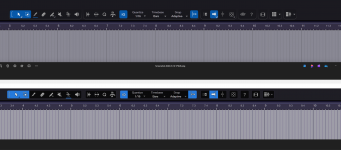
It's the ugliest looking DAW I have ever seen to date. It's like some washed out flat 2d atempt at Ableton. The difference is night and day under the same config file vs V6. I see we have the double border of dead space at the top back again. Split plugin folders for Fender and Presonus just to slap the Fender name on some of them them. The Fender ones reverted to a horrid grey colour of old that looks as pig ugly as the new GUI.

Luckily it's not hard to navigate to find the changes they made for what ever reason, I guess the work flow was an issue, zzzzzzzz. I don't care about brand name changes it was going to happen sooner or later but they need to stop changing and moving things around like the inspection panal icon and renaming functions or features because it's not upto Fenders liking or because every other DAW calls it that like freeze.

I will be honest. For the most part it's ok but I can't bare looking at it. It's looking more like a cheap kids phone app by the version and not a good looking one. Faders look ok so why didn't they apply the same effort to the rest. If anything the new look faders don't fit the rest of the GUI style at all. It's like a cartoon interface with nice faders stuck on it.

Mixed bag for me but I ain't going to be using something I don't enjoy the look of it's that simple. I can use Reaper FL Bitwig or Ableton if I want a pig ugly DAW to look at daily. It's ridiculous to be honest the amount of messing about with GUI changes and functions from V6 to now. Leave it alone already it's as confusing as an identity crisis :)
 
It looks mostly the same....yes, there are some subtle differences, but NOTHING at all like Ableton...that is the ugliest piece of software out there.
 
It looks mostly the same....yes, there are some subtle differences, but NOTHING at all like Ableton...that is the ugliest piece of software out there.
Agreed on the Ableton :) For me it's now got the flat look to it that seems to be about a lot like Acoustica Audio have been doing. I know some people will enjoy it but I don't. It looks way to way flat with very little definition vs V6, Icons look sunk into the GUI to the point it all has a flat look to it. It's to washed out and flat for my taste. It doesn't help the double top bar is back again adding a gaping space round the top of the icons. That's the same config file for V6 and V8.
 

Attachments

  • Screenshot 2026-01-14 180357.png
    Screenshot 2026-01-14 180357.png
    331,9 KB · Views: 109
By the way, they tried to copy the channel overview from Ableton, but something went wrong.
Because it's completely unusable. For example, with Fabfilter Pro Q, I can only see one filter in the channel overview, and for some reason it's a band 1. And I have five or more bands...
It's the same with other plugins... If there are more than six parameters, this window becomes useless.

It is impossible to select options in this window, and even the fonts are broken


Studio_Pro_E8wB9vsCfg.png
 
By the way, they tried to copy the channel overview from Ableton, but something went wrong.
Does Ableton make it better with 3rd party plugins? In YT videos I usually see only stock plugins.

And would this require additional code in the plugin?
 
He selects parameters using random numbers and arranges them in a random order.
This is just nonsense.
From the NDSP Nolly X, it didn't pick up a single amplifier knob, but for some reason it picked up the gate, prefx, and transpose)


Studio_Pro_x8ZYBGZiDp.png
 
Back
Top