Hi everyone,
I just release the first maintenance update of Pro Navigator!
New Features:
Improvements & Fixes:
All release rotes:

 manual.studioonescripts.com
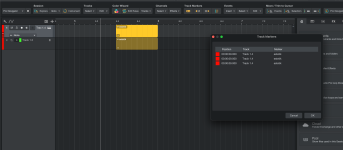
To update the extension, click on the Help button.

This open the online manual which will let you know that/whether a new Pro Navigator update is available, including download link:

I just release the first maintenance update of Pro Navigator!
Version 1.0.1 (October 8, 2026)
New Features:
- New commands: Goto Start Marker and Goto End Marker. These commands identify the Start and End Markers by their marker type instead of their name, so they continue to work even if the markers have been renamed.
- All channel commands now support wildcards (*) for both the Channel and Namearguments:
- Find and Activate Inserts
- Find and Activate Inserts in Selected Channels
- Find and Bypass Inserts
- Find and Bypass Inserts in Selected Channels
- Find and Open Inserts
- Find and Open Inserts in Selected Channels
Improvements & Fixes:
- Favorite Instruments: Folders are now excluded from the default display name for Track Presets stored inside folders.
- Favorite Instruments: Instrument insertion now follows Studio Pro naming conventions to prevent duplicate instrument names.
- Fixed an issue where Apply Event Names to Tracks would not work when the Navigation Essentials add-on was also installed.
- Removed Bounce Events and Move to Single Track from the Studio One / Studio Pro menus.
- Auto-Color: Auto-Color All Tracks no longer colors hidden tracks.
- Auto-Color: Tracks and channels no longer use the same color gradient group.
- Auto-Color: Various minor fixes and improvements for compatibility with upcoming Studio Pro versions.
All release rotes:
Release Notes | Pro Navigator Manual
Online manual for Pro Navigator for Fender Studio Pro & Studio One. Tips, tutorials, and in-depth feature guides.
To update the extension, click on the Help button.
This open the online manual which will let you know that/whether a new Pro Navigator update is available, including download link: