Hi, I have a Studiolive 16 USB version. I wanted to know if I have set everything up correctly in Cubase. But is it possible, when I create a VST instrument in Cubase and connect Output 2 to the Cubase mixer, to use fader 2 on the Presonus mixer for the volume? Or is that not possible? Thank you.

-
Hi and welcome to the Studio One User Forum!
Please note that this is an independent, user-driven forum and is not endorsed by, affiliated with, or maintained by PreSonus. Learn more in the Welcome thread!
You are using an out of date browser. It may not display this or other websites correctly.
You should upgrade or use an alternative browser.
You should upgrade or use an alternative browser.
Presonus Studiolive 16 Usb is that possible?
- Thread starter sale
- Start date

SwitchBack
Well-known member
Is this a StudioLive Series III mixer? Then know that the mixer won't control anything inside Cubase. It can act as an outboard mixer and as an audio interface at the same time, so audio to one of the mixer's input channels can be sent to the computer/Cubase too. This can be pre-FAT, post-FAT, but not post-fader. Your only option for fader control is to route a mixer's input to one of the mixer's 16 auxes and then send that Aux output Pre1 (before Aux FAT) back to the computer/Cubase.
If this is an AR mixer then you're out of luck. You can't return computer/Cubase output to the mixer's inputs except for two stereo pairs to the last two stereo channels. Sends to the computer/Cubase are only from the mixer's analog inputs (pre-EQ) and from the main mix.
If this is a StudioLive 16.0.2 USB mixer then your options are a somewhere between the AR and the Series III mixer, closer to the Series III. Take your pick.
If this is an AR mixer then you're out of luck. You can't return computer/Cubase output to the mixer's inputs except for two stereo pairs to the last two stereo channels. Sends to the computer/Cubase are only from the mixer's analog inputs (pre-EQ) and from the main mix.
If this is a StudioLive 16.0.2 USB mixer then your options are a somewhere between the AR and the Series III mixer, closer to the Series III. Take your pick.
Last edited:
SwitchBack
Well-known member
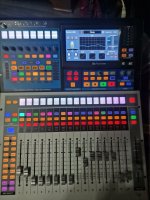
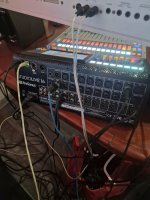
That’s a Series III mixer, so you have that option to return the 16 Auxes (with one input channel each) to the computer/Cubase.
Videos? Probably not. It’s a matter of knowing (the USB mapping options of) your mixer. Assuming all routing in the mixer is set to the defaults you can send 16 Cubase channels to the mixer (USB1-16 to mixer channels 1-16). Set the Aux Pre Mode for all Auxes in the mixer to Post and per Aux mix raise one channel fader and the master fader to 0dB (channels 1-16). The Auxes will have their outputs sent to USB41-56, for Cubase to use as the return from the 16 channels sent to the mixer. Now you can control those 16 channels with the mixer’s Main mix channel faders.
Videos? Probably not. It’s a matter of knowing (the USB mapping options of) your mixer. Assuming all routing in the mixer is set to the defaults you can send 16 Cubase channels to the mixer (USB1-16 to mixer channels 1-16). Set the Aux Pre Mode for all Auxes in the mixer to Post and per Aux mix raise one channel fader and the master fader to 0dB (channels 1-16). The Auxes will have their outputs sent to USB41-56, for Cubase to use as the return from the 16 channels sent to the mixer. Now you can control those 16 channels with the mixer’s Main mix channel faders.
Last edited:
Here are a couple of videos to help. Some are older so they may not be up to current standards with the newest firmware updates.
I am fairly sure it doesn't matter if your Series III is 16, 24, 32, or any of the newest line of studilive mixers--the process should be the same
Just google something like Studiolive Series III Cubase to find others if these aren't helpful to you.
Both the new Presonus Youtube channel and Fender channels have a wealth of info for using the Series III mixers in a variety of situations.
PC output to SL III mixer
General StudioLive Series III DAW connection overview.
Series III to Cubase troubleshooting
I am fairly sure it doesn't matter if your Series III is 16, 24, 32, or any of the newest line of studilive mixers--the process should be the same
Just google something like Studiolive Series III Cubase to find others if these aren't helpful to you.
Both the new Presonus Youtube channel and Fender channels have a wealth of info for using the Series III mixers in a variety of situations.
PC output to SL III mixer
General StudioLive Series III DAW connection overview.
Series III to Cubase troubleshooting