• Hi and welcome to the Studio One User Forum!

    Please note that this is an independent, user-driven forum and is not endorsed by, affiliated with, or maintained by PreSonus. Learn more in the Welcome thread!

PC recommendation for StudioOne

UB_studio

New member
Finally retired and am working on creating my studio! Unfortunately things have changed from where I left off when I bought the AudioBox USB96 (25th Anniv).

I never got started as retirement was unfortunately delayed. That's all done.

I am looking for recommendations for a Windows computer (which will ONLY be used for studio work). I've got the tech specs down and will going over the minimum requirements.

Lenovo, Dell, HP... any favorites? models to stay away from?

Any help will be greatly appreciated!
 
Can't really recommend any "off the shelf" PC for a number of key reasons - the biggest being "control" of the environment.

I build all mine here and they are all best of class for DAW work. But that is a different conversation related to your question.

Hopefully some others will chime in - there are few folks in here using consumer machines that have done just fine with Studio One/Pro

VP
 
Last edited:
I'm still using an OTS Dell 8900 from 2017. I am a lightweight user, but will only be moving on due to Win10 EOL.
 
My advice would be to seriously look into getting a Apple computer instead of anything containing Windows 11.

I know 30 to 40 people that have dropped PC computing for Apple over the last couple of years.

When my Windows 10 security updates expire this year, I'll be one of those that's already moved on.

The cost/computing performace is much better for Apple now than it was in the past. Every DAW program I know of runs better on a Mac than it does on Windows. Given that the MicroSlop CEO has stated that they're dropping code and relying on AI for programming (which has been a huge disaster so far), is what finally pushed me over the edge.


My advice would be to seriously look into getting a Apple computer instead of anything containing Windows 11.
I would need to go thru my application inventory to see what is supported on Mac and what is supported well on Mac. Obviously, FSP is.
 
If you don't know what you're doing I'd get a machine built by a custom DAW PC builder if you can. It doesn't really cost that much more than building it yourself.
 
The cost/computing performace is much better for Apple now than it was in the past. Every DAW program I know of runs better on a Mac than it does on Windows. Given that the MicroSlop CEO has stated that they're dropping code and relying on AI for programming (which has been a huge disaster so far), is what finally pushed me over the edge.

Apples need to redo their OS every September also qualifies as a disaster (especially the part of having to wait anywhere from 1-4 months before the vendors finally find time to test the code.) And their pricing and built in expiry date really goes without saying.

If you really want to get value for your computer dollars - building your own Windows DAW (or have someone do it for you) far outstrips anything Apple can ever hope to accomplish when it comes to backwards compatibility. I can mix and match anything I need from a infinite variety of sources

And Windows 11 is easily tamed if you know how to approach it. My custom versions of Win 11 have no AI, no stability issues and proven 24x7x365 runtime.

If you allow MS to dictate the OS to you - I fully agree - you will have your fair share of fun and games.

But back to the OPs prime directive - he is seeking a PC - not an Mac.

VP
 
Finally retired and am working on creating my studio! Unfortunately things have changed from where I left off when I bought the AudioBox USB96 (25th Anniv).

I never got started as retirement was unfortunately delayed. That's all done.

I am looking for recommendations for a Windows computer (which will ONLY be used for studio work). I've got the tech specs down and will going over the minimum requirements.

Lenovo, Dell, HP... any favorites? models to stay away from?

Any help will be greatly appreciated!
I always suggest in such posts the the OP give a general price point, or how they utilize the computer be it in a studio, would they seek a laptop for portability, and so on. That gives the already very good responses here a little more of what the user will benefit the most from.

My last three PC's were all laptops. All still work with their installs of Studio One. Typically, their lifespan is around 8 years. I run 50, 60 tracks and I dont always like to render so that I can make last decisions when those tracks would benefit from their initial VSTi instruments. Ive never experienced a crash, dropouts, or slow processing with Studio One. In fact, I often scratch my head when reports of performance ARE a problem. It seems obvious that they are sharing a bunch of programs running in he background, gaming, or provide poor housekeeping to keep things lean.

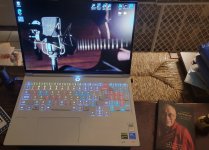
No matter which way you go, I recomend an OLED monitor screen. They are just astonishing. Blacks are black, and whites are white. Briteness should produce around 500 nits. I recently retired myself, and to look at an OLED screen now is just wonderful. I also dedicate my PC to music and creating videos only. Videos are with DaVinci Resolve Studio and require lots of video card horsepower. My current laptop purchased less than a month ago is a 16" S1-7.3, Lenovo 16" Legion Pro. Intel Core Ultra 9 24-Core, GeForce RTX 5070 Ti, two M.2 2 1 TB SSD's.
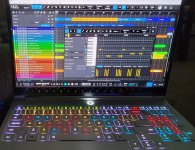
A bonus is that I can have the keys illuminate to a Studio One keyboard layout (or other as each key is customizable).
Something to think about. If you dont need the heavy lifting video card like the GeForce RTX 5070 Ti, you can save by getting a GeForce 5070 or 5060.
Anyway, let us know what your actual needs are. The guys here will always pass on valuable info tailored around what it is you're doing.
 
I always suggest in such posts the the OP give a general price point, or how they utilize the computer be it in a studio, would they seek a laptop for portability, and so on. That gives the already very good responses here a little more of what the user will benefit the most from.

My last three PC's were all laptops. All still work with their installs of Studio One. Typically, their lifespan is around 8 years. I run 50, 60 tracks and I dont always like to render so that I can make last decisions when those tracks would benefit from their initial VSTi instruments. Ive never experienced a crash, dropouts, or slow processing with Studio One. In fact, I often scratch my head when reports of performance ARE a problem. It seems obvious that they are sharing a bunch of programs running in he background, gaming, or provide poor housekeeping to keep things lean.

No matter which way you go, I recomend an OLED monitor screen. They are just astonishing. Blacks are black, and whites are white. Briteness should produce around 500 nits. I recently retired myself, and to look at an OLED screen now is just wonderful. I also dedicate my PC to music and creating videos only. Videos are with DaVinci Resolve Studio and require lots of video card horsepower. My current laptop purchased less than a month ago is a 16" S1-7.3, Lenovo 16" Legion Pro. Intel Core Ultra 9 24-Core, GeForce RTX 5070 Ti, two M.2 2 1 TB SSD's.
A bonus is that I can have the keys illuminate to a Studio One keyboard layout (or other as each key is customizable).
Something to think about. If you dont need the heavy lifting video card like the GeForce RTX 5070 Ti, you can save by getting a GeForce 5070 or 5060.
Anyway, let us know what your actual needs are. The guys here will always pass on valuable info tailored around what it is you're doing.
I've been kicking the idea of a laptop instead of desktop around, mainly because my travel laptop is as long in the tooth as my desktop. This looks like a great machine. Where did you purchase yours?
 
I've been building PCs for many years, but I was also a bit of a Mac evangelist for a while. That period was probably characterised by me having relatively more money than sense and the fact that Apple's physical designs were (and largely still are) absolutely lovely. But practicality, a love of games, and a need to use computers that allowed me to test flight simulator scenery (something I still do) meant that PCs were a necessity rather than a semantic choice. But I still have a 2015 MBP that I occasionally use just for internet browsing just because I love it - and it runs S1v7 pretty well for simple projects.

But if a PC is the aim, building your own is very easy - though it's now the case that you should have done it 3-6 months ago. Memory and GPU prices are now ridiculous; 64Gb of DDR5 6000 CL36 RAM will cost you $700-1000 (depending on the retailer - do your research!), and an Nvidia RTX 5070 16Gb (avoid any 8Gb GPUs) - if you can find one - will now be well above MSRP. If you want to go for a top end 5090, expect to pay $3500-4000 just for the GPU. Secondhand or NoS 4000-series cards (or AMD 7800+) are the way to go.
 
I've been building PCs for many years, but I was also a bit of a Mac evangelist for a while. That period was probably characterised by me having relatively more money than sense and the fact that Apple's physical designs were (and largely still are) absolutely lovely. But practicality, a love of games, and a need to use computers that allowed me to test flight simulator scenery (something I still do) meant that PCs were a necessity rather than a semantic choice. But I still have a 2015 MBP that I occasionally use just for internet browsing just because I love it - and it runs S1v7 pretty well for simple projects.

But if a PC is the aim, building your own is very easy - though it's now the case that you should have done it 3-6 months ago. Memory and GPU prices are now ridiculous; 64Gb of DDR5 6000 CL36 RAM will cost you $700-1000 (depending on the retailer - do your research!), and an Nvidia RTX 5070 16Gb (avoid any 8Gb GPUs) - if you can find one - will now be well above MSRP. If you want to go for a top end 5090, expect to pay $3500-4000 just for the GPU. Secondhand or NoS 4000-series cards (or AMD 7800+) are the way to go.
I would add that if the computer is specifically for DAW work - a third party graphics card is not a requirement. Haven’t used one here for ten years.

And yes - RAM is out of control right now but this price explosion will affect any end game.

Especially higher end laptops and Macs. Apple makes no effort to hold off passing along hardware costs to the end user

Even they cannot get around this RAM shortage - increases will be baked in soon if not already.

VP
 
Yes, integrated graphics will be fine for pure studio work, as long as video isn't involved in any depth. And you're quite correct that RAM prices will already be affecting laptops and all Macs; it's likely that the first pricing trick will be to reduce the base level of RAM.

It's still possible to get DDR4 RAM at rather less stupid prices than DDR5. Intel CPUs up to and including 14th gen can use DDR4, and AMD CPUs up to the 5xxx series are compatible with DDR4. Both of my studio rigs work on AMD/DDR4 combinations, with one using a Radeon 7800XT and one a 9070XT GPU. These systems are capable enough to probably be comfortable for another 7-10 years.
 
I built my system for Music and Video. Build more than your need because prices keep rising (RAM/GPU now rising very fast), because if you know what you need, over build a bit so you can handle Software upgrades. And right now getting a machine from a large build might save some money. If you work longer hours, cooling is king. Don't skimp on power supply, cooling for CPU, and lots of large fans. I probably would not buy my machine with a GPU like mine 4070 TI Super GPU and 64 Gig's of DDR5 right now, in fact probably not in the next 20 months or so. If you are only going to do music, I might stay with the AMD 5000 series and DDR4 ram.
 
I've been kicking the idea of a laptop instead of desktop around, mainly because my travel laptop is as long in the tooth as my desktop. This looks like a great machine. Where did you purchase yours?
I first went to Microceneter here in NY. Only I thought I'd keep with an HP 17" Oman. Same specs as what I have now. Well, almost. The Oman didn't have the OLED screen, and was only 300 mips. I had it for a week, and honestly, it wasn't even as sharp as my previous HP Oman (still a great machine, but a boat anchor). The screen was soft, not bright, and really brought the whole computer experience down. At $1700, one shouldn't feel they'll get buy using such a horrible screen.

I went right to a competing brand, but this time with a 16" OLED screen. Wow, wow, wow! About a decade ago, the NBC studios at 30 Rock bought all OLED monitors for every studio, & every broadcasting booth. I'd seen them and was floored by how accurate and sharp they were. I just plumb forgot about them. So now, I went for the Legion. Its extremely light, and that is also amazingly useful. Its almost Apple M4 like in that the cooling is so efficient. Of course its not an M4, and I wouldn't blow smoke up anyone's privates. Its just a great laptop and finished 2nd to the M4 macbook in bench tests so that was pretty telling of at least a good system. This I got at Best Buy, not Microcenter because they had the right components for me. I opened it up the same day and installed another 1 tB M.2 SSD drive.

Like VP, for decades, I've always built my own PC's. Its very gratifying, and you'll never match the same power for competing price. Now, I just use a laptop. If I'm at an airport, the backyard, whatever, my DAW, my work, and my music come with me.

Yes, ram is through the roof now. About 8 months back, I bought 64 gB of DDR4 ram for $150. My new computer comes with 32 gB of DDR5. So I left well enough, alone.
 

Attachments

  • 20251228_074059(1).jpg
    20251228_074059(1).jpg
    448,8 KB · Views: 17
  • 20251227_183504(1).jpg
    20251227_183504(1).jpg
    745 KB · Views: 18
Last edited:
Oh boy ye oldie Mac Vs PC debate.

PC better value for money.
PC better price performance
PC lasts longer.
MS may use AI but so will Apple.
Windows has excellent performance and when tuned correctly can outperform or match Apple.

Regardless.. I would never recommend an Apple user to go with Windows or vice versa, it is what you are used to. Every person I have known who jumped ship, has jumped back again.

I have the best of all worlds, Windows and a Hackintosh. The only big difference is price.
 
You really don't need a whup-ass GPU to make music or to edit music to a video. Just playing video is something any old GPU can do. If you want to get into video editing, graphic FX, 3D stuff etc that's a different story but for DAW work and scoring to picture the on-chip GPU will do you just fine. You can always upgrade that aspect later if your needs change.

However, you can never have too much memory. I've currently got 32GB, which I don't think I've ever overrun, but my next PC will have 64GB minimum.

As for the price rises, it's yet another reason for AI haters to hate AI, because that's what is boosting the demand for silicon. :D
 
Oh boy ye oldie Mac Vs PC debate.

PC better value for money.
PC better price performance
PC lasts longer.
MS may use AI but so will Apple.
Windows has excellent performance and when tuned correctly can outperform or match Apple.

Regardless.. I would never recommend an Apple user to go with Windows or vice versa, it is what you are used to. Every person I have known who jumped ship, has jumped back again.

I have the best of all worlds, Windows and a Hackintosh. The only big difference is price.

Nope, there's no argument here. OP asked for recommendations for a Windows PC build. One contributor missed that essential detail and recommended Mac. Everyone else understood the brief!
 
I first went to Microceneter here in NY. Only I thought I'd keep with an HP 17" Oman. Same specs as what I have now. Well, almost. The Oman didn't have the OLED screen, and was only 300 mips. I had it for a week, and honestly, it wasn't even as sharp as my previous HP Oman (still a great machine, but a boat anchor). The screen was soft, not bright, and really brought the whole computer experience down. At $1700, one shouldn't feel they'll get buy using such a horrible screen.

I went right to a competing brand, but this time with a 16" OLED screen. Wow, wow, wow! About a decade ago, the NBC studios at 30 Rock bought all OLED monitors for every studio, & every broadcasting booth. I'd seen them and was floored by how accurate and sharp they were. I just plumb forgot about them. So now, I went for the Legion. Its extremely light, and that is also amazingly useful. Its almost Apple M4 like in that the cooling is so efficient. Of course its not an M4, and I wouldn't blow smoke up anyone's privates. Its just a great laptop and finished 2nd to the M4 macbook in bench tests so that was pretty telling of at least a good system. This I got at Best Buy, not Microcenter because they had the right components for me. I opened it up the same day and installed another 1 tB M.2 SSD drive.

Like VP, for decades, I've always built my own PC's. Its very gratifying, and you'll never match the same power for competing price. Now, I just use a laptop. If I'm at an airport, the backyard, whatever, my DAW, my work, and my music come with me.

Yes, ram is through the roof now. About 8 months back, I bought 64 gB of DDR4 ram for $150. My new computer comes with 32 gB of DDR5. So I left well enough, alone.
Thanks. I guess there were a lot of us builders back in the day. I have fond memories of collecting all of the components as they arrived from various sources, opening and laying everything out ...

My current PC is a Dell XPS8900 I bought at Costco. I opened the display model to make sure all of the expansion slots/connections I needed were there, and most importantly that the 16G ram was 2 x 8 instead of 4 x 4. Added memory and drives and it's still a great machine.

I'm tempted to go laptop this time especially with the horsepower available and cost being reasonable compared to separate desk/travel machines.
 
.....I am looking for recommendations for a Windows computer (which will ONLY be used for studio work). I've got the tech specs down and will going over the minimum requirements.
Anyway, welcome to the forum, UB_Studio.
The way this works, is users provide helpful suggestions, but that on large part requires the original poster to respond. We can poke all day on what PC might best benefit you, only you opened the door and havent responded back
Lenovo, Dell, HP... any favorites? models to stay away from?

Any help will be greatly appreciated!
Any of those brands and others can be fine but here, this doeent tell enough of the story. Should one buy a Chevrolet, Ford, Toyota, Nissan, Audi, etc.? They're all good, some within their selection less so, some PC's have increased cooling such as for gaming, but might be problematic if fans do whir up and become noisy in a recording environment. I choose gaming oriented PC's and set up how I wish those fans to be throttled.

A budget is a very good thing to include. After all, you now have 8 people offering suggestions without so much of a price window to work from.

A little more info, please.
Thanks.
 
Last edited:
If I was needing to replace my PCs now, I think I'd be very tempted to go for mini PCs for exactly the same reasons that people like Mac Minis. There are some very decent specs available (at least for now) for less than the cost of buying the RAM separately! I no longer travel for a living, so a laptop is superfluous for me - though I still have both a MBP and a Dell XPS 13 which were my travel companions till I retired in 2020. The 2015 MBP is struggling now, but the 2019 XPS 7390 is still very powerful, has a fantastic 4K touchscreen (not OLED but still excellent) and will easily run SP8 and a host of plugins. With a second 15" 2K flatscreen, it gives a very decent working environment on the move. If it had 64Gb RAM, it would be useable for many years, but sadly it has only 16Gb and that's the most it could have.
 
Back
Top