• Hi and welcome to the Studio One User Forum!

    Please note that this is an independent, user-driven forum and is not endorsed by, affiliated with, or maintained by PreSonus. Learn more in the Welcome thread!

Now this is pretty cool....

Vocalpoint

Well-known member
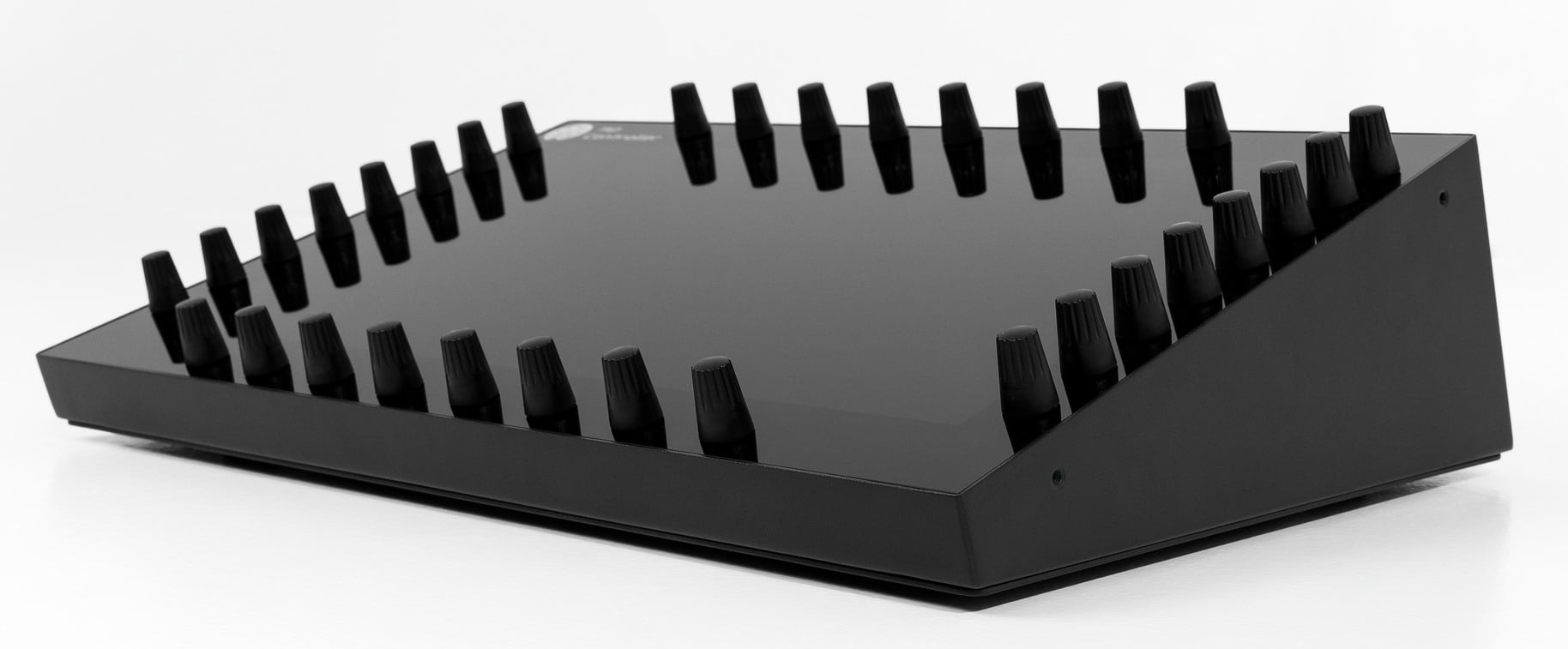
Brand new control surface for Studio One/Studio Pro...

Discuss...

VP
 
Definitely has the looks. I'll give them that. Keyboard controller next?
 
That looks great. But no more gadgets for me for a while!!
 
Discuss...
I... don't know.

As a control surface it gives me a screen with a visual translation of what I see on the monitor(s), which will take me some time every time to make that translation too ("OK, this button is that button, and the button to the right of it is now below it, in a different color", etc.), and still it doesn't give me tactile faders. Not sure if this is a workflow improvement.
 
Last edited:
I have one and like most control surfaces there are pro's and con's. It is a very useful piece of kit in the area’s it does well.
It goes beyond just being a mixer or MMC controller and is bit of a Swiss army Knife.
Setting up VST's both instruments and Fx is easy. Touch a control, twist the chosen H/ware knob...bingo save and load all done on the hardware. (easy to instantiate an instrument to the selected track etc,.) YMMV.
The controls can be set as high res or (low res CC 0-127)

It can also be setup as a Midi device for transmitting CC controls and key switches. Similar to a Streamdeck.

The main downside is the initial cost. The Guy behind the company is genuinely helpful and gives good support which helped me sort out
some errors I made when setting it up.

I have yet to get around to installing the FSP template and have been using the SO1 FSP Remote on the touch screen.
Time is always a problem, such is my life. 😶‍🌫️

Kindest regards
 
Last edited:
It does look impressive but for me moving real faders on the Faderport still feels very nice. I am not fan of moving imaginary faders on smooth surfaces.
 
The Guy behind the company is genuinely helpful and gives good support which helped me sort out
some errors I made when setting it up.
Oh. And here I was thinking Fender was going on a more enticiing (to me) path. Didn't realize it was third party.
 
Oh. And here I was thinking Fender was going on a more enticiing (to me) path. Didn't realize it was third party.
Yes, 3rd party!

They have developed templates for most of the available Daws, which makes it useful if you run more than one Daw.
The SO1 template is a recent update.
VP thanks for posting, I have not been keeping up with the net just lately and missed that one.

Kindest regards.
 
I had no idea this exists! I love controllers in general, but I'm also picky. I've failed to get along with some of them.

I really want an update to the Faderport line.
 
The email from MP Midi arrived today...

Went and googlies found this, posted here in case folks are interested.

To view this content we will need your consent to set third party cookies.
For more detailed information, see our cookies page.

Looking to update in the next couple of weeks.

@madFloyd yes to the faderport update long overdue. My FP8 is next to the MP Midi and a rack mountable FP8 might tempt me to burn some plastic.

Kindest regards
 
Thanks for posting. I already have too many controllers, surfaces, but this looks really good for third party instruments and/or synths.
 
Thanks for posting. I already have too many controllers, surfaces, but this looks really good for third party instruments and/or synths.
Useful when getting down to the nitty gritty, but a touch screen with the "Remote desktop app" can cover a lot of it's functions.
The biggest advantage is the 32 hardware encoders, obviously there are other benefits, MMV depending on how far you want to dig into it's features.

@Stuart Welwood yes I've had mine about 20 months or so, It's nicely put together. Metal chassis, Rack mountable. Glass screen, and the rotary controllers are nice quality.

Regards to all as usual.
 
I wonder if a touch screen would be just as good
 
The thing with touch screens is that you have watch your hands when changing settings, which really distracts from using your ears. So in my book a good control surface should add tactile control in a way that allows tweaking with eyes averted/closed, when close listening is key. But rather than being an extra layer to the (touch) screen human interface (needing extensive key mapping first) I think it should be a most simple extension of it. Maybe one knob (or two, for right/left-handed use) and a row of motorised faders is all what's needed: touch/click it on the screen and control it with the knob. And faders, well, that's for the old school console feel when balancing channels :)
 
The thing with touch screens is that you have watch your hands when changing settings, which really distracts from using your ears. So in my book a good control surface should add tactile control in a way that allows tweaking with eyes averted/closed, when close listening is key. But rather than being an extra layer to the (touch) screen human interface (needing extensive key mapping first) I think it should be a most simple extension of it. Maybe one knob (or two, for right/left-handed use) and a row of motorised faders is all what's needed: touch/click it on the screen and control it with the knob. And faders, well, that's for the old school console feel when balancing channels :)
The MP Midi have a Mixer Template displayed in banks of 8 with Level and Pan, arranged with inline dedicated rotary's, top row for pan the bottom row for levels.

To view this content we will need your consent to set third party cookies.
For more detailed information, see our cookies page.

However, I do agree that Faders have a very well defined haptic mechanism otherwise large high end desks would have a different design.
The MP Midi is just a versatile control surface, take it or leave it.

Best regards
 
Back
Top