
-
Hi and welcome to the Studio One & Studio Pro User Forum!
Please note that this is an independent, user-driven forum and is not endorsed by, affiliated with, or maintained by Fender. Learn more in the Welcome thread!
You are using an out of date browser. It may not display this or other websites correctly.
You should upgrade or use an alternative browser.
You should upgrade or use an alternative browser.
I am going for it!
- Thread starter k2347
- Start date

Gerran
Active member
It's not uncommon to have multiple outputs on a larger interface. Perhaps there's a setting in the accompanying software (if there is one) that lets you mimik the main outs to alt3&4.
In StudioPro, you count set up an alternate output on the listen bus or a cue mix to also output your main mix. In that case you can use the mute buttons to switch between the speakers.
In StudioPro, you count set up an alternate output on the listen bus or a cue mix to also output your main mix. In that case you can use the mute buttons to switch between the speakers.

lokeyfly
Well-known member
@k2347,Reasonable request. Since you're recording as a loopback, I dont know if that will be switchable for Main or Alt monitoring. I'd susoect there is Harrison audio interface software for directing your monitoring to either of those locations. In other words, not looking in your Windows Sound driver settings, that youre hunting for. Also, what is displayed not just from your Windows Sound path, showing drivers, but instead what is shown from the Studio Pro Input selections? There, you'd see Instrument as well as loopback sources. Hopefully, an additional source for monitor Main and Alt select. Also, check your Studio Pro routing for Ouputs by clicking the I"/O" at top left of the mixer area (as I recall, I'm away from the computer).
In short, I'd bet there is routing software from either your Harrison Mix layouts, or Studio Pro input, and output settings for directing signals to those two monitor outs. I agree, you should be able to set either in tandem, or split monitoring. Basically, right on the fly, although that is becoming less available with many designs now.
The Windows Sound selections are only one stop, global settings. Not where you should be looking.
Also, the ball is in Harrison's court. Customer service should happen right away, or they're showing their hand right out of the gate. Never good.
I had what I thought was a driver issue with Audient, and I hooked up with Audient the next day. Due to they are located in England so thete was a business hour conflict was all. Spoke with their main engineer after that on the phone. Or should ai say, "tellie".
Looks like a dynamite audio interface.
Let us know what you find.
Sweetwater will try to contact Harrison support for you, but that is likely it.
In short, I'd bet there is routing software from either your Harrison Mix layouts, or Studio Pro input, and output settings for directing signals to those two monitor outs. I agree, you should be able to set either in tandem, or split monitoring. Basically, right on the fly, although that is becoming less available with many designs now.
The Windows Sound selections are only one stop, global settings. Not where you should be looking.
Also, the ball is in Harrison's court. Customer service should happen right away, or they're showing their hand right out of the gate. Never good.
I had what I thought was a driver issue with Audient, and I hooked up with Audient the next day. Due to they are located in England so thete was a business hour conflict was all. Spoke with their main engineer after that on the phone. Or should ai say, "tellie".
Looks like a dynamite audio interface.
Let us know what you find.
Sweetwater will try to contact Harrison support for you, but that is likely it.

Jemusic
Active member
Firstly the manual does not explain things that well. Also the block diagram is hard to read when you blow it up a bit. I think Gerran has the right idea. The manual says the ALT 3/4 outputs can be used to feed a recording area eg vocal booth etc so it must be possible to get both of these outputs working at once.
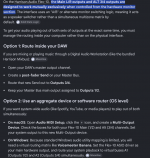
Can you set up in your external devices OUTPUTS area to see both the Main and ALT outputs as being present at the same time. Can you show us an image of your Audio I/O Setup OUTPUTS section. You could then send the Listen bus to the ALT outs. The Listen bus is the only way you can send the Main stereo mix to two sets of outputs at once.
You then have the option of hearing both stereo outs at once if you need and then use the mute switches to silent the speakers you don't want to hear.
Google also mentions there is Flex 10 control software. Have you installed that or is it part of the driver install. Sometimes in Windows after a driver install this separate control software may appear elsewhere in your control panel as a separate thing. It also states that all 4 outputs can be setup in your DAW. And you use the Control software to route your main mix to both sets of outputs.
If there is no such thing as Flex 10 control then this is what I got when I stated that I could not get both the Main outs and Alt 3/4 outs to work at the same time on Google. You should be able to do it via Option 1 I am sure.
Can you set up in your external devices OUTPUTS area to see both the Main and ALT outputs as being present at the same time. Can you show us an image of your Audio I/O Setup OUTPUTS section. You could then send the Listen bus to the ALT outs. The Listen bus is the only way you can send the Main stereo mix to two sets of outputs at once.
You then have the option of hearing both stereo outs at once if you need and then use the mute switches to silent the speakers you don't want to hear.
Google also mentions there is Flex 10 control software. Have you installed that or is it part of the driver install. Sometimes in Windows after a driver install this separate control software may appear elsewhere in your control panel as a separate thing. It also states that all 4 outputs can be setup in your DAW. And you use the Control software to route your main mix to both sets of outputs.
If there is no such thing as Flex 10 control then this is what I got when I stated that I could not get both the Main outs and Alt 3/4 outs to work at the same time on Google. You should be able to do it via Option 1 I am sure.
Attachments
Last edited:
Skijumptoes
Member
Looks like they need a bit of routing software that can set those outputs to be joined. Annoying that they've not got it in place already.
You can do it via virtual cabling on windows but you don't want to be messing around to that degree on an audio system.
You can do it via virtual cabling on windows but you don't want to be messing around to that degree on an audio system.
Jemusic
Active member
I am not so sure. Option 1 basically states that if he can get all 4 outputs present in the Audio In/Out OUTPUT settings (They call it Session settings now in V8) then the Main bus and Listen buses should be able to feed both sets of outputs at once.Looks like they need a bit of routing software that can set those outputs to be joined. Annoying that they've not got it in place already.
You can do it via virtual cabling on windows but you don't want to be messing around to that degree on an audio system.
lokeyfly
Well-known member
Trying to adjust the specific outputs from the Windows Sound settings is not the right place to look. So its pretty clear the Harris driver software will allow for that (you havent shown that in your vid). Also set your Studio Pro I/O if you havent already.
I take it you've loaded that driver software? It may not show up as an icon but rather from your taskbar at the sounds setting. Such as Flex 10 mixer settings.
The signal diagram (from the manual itself) shows each oif these monitor outs. ALT 3/4 has a switch. Possibly via software only.
I take it you've loaded that driver software? It may not show up as an icon but rather from your taskbar at the sounds setting. Such as Flex 10 mixer settings.
The signal diagram (from the manual itself) shows each oif these monitor outs. ALT 3/4 has a switch. Possibly via software only.
Last edited:
Skijumptoes
Member
Sure, it's easy to do in the DAW, it's very basic I/O.I am not so sure. Option 1 basically states that if he can get all 4 outputs present in the Audio In/Out OUTPUT settings (They call it Session settings now in V8) then the Main bus and Listen buses should be able to feed both sets of outputs at once.
I thought they were wanting to use it on an operating system level/hardware level that way though, maybe i've mis-understood?
lokeyfly
Well-known member
You'd be right in thinking that. After all, the OP was displaying a loopback scenario. In any event, basic Alt 3/4 switching looks to be there. k2347 just hasn't found that switch located from the Flex 10 software.Sure, it's easy to do in the DAW, it's very basic I/O.
I thought they were wanting to use it on an operating system level/hardware level that way though, maybe i've mis-understood?
So it appears.
Flex-10_User Guide_v3.0 (3).pdf https://share.google/IuDZODX0ibqU6MRdn
OP
OP

k2347
Member
I did set up a cue mix in Studio Pro so it is working there.The driver software control app is very limiting and confusing.It has 4 Harrison driver's listed but only one works so what are the other 3 for is what I wanna know.The quick start manual does not explain very much and I can't get my other software because SSL's site will not let me register my unit.On the upside this thing does sound so good and the headphone amp is so loud and crystal clear.I will try registering it again today.
OP
OP
k2347
Member
I just got an email from my Sweetwater rep and it reads:
"I just received the response below from the vendor.
“There is an issue with registering Serial #s at the moment but should be resolved by early next week.
Alt 3&4 is software driven as there is not a button on the Flex to actually toggle between two outputs. Think of outputs 1&2 as the main mix for the engineer and outputs 3&4 as the mix for the artist.”
"I just received the response below from the vendor.
“There is an issue with registering Serial #s at the moment but should be resolved by early next week.
Alt 3&4 is software driven as there is not a button on the Flex to actually toggle between two outputs. Think of outputs 1&2 as the main mix for the engineer and outputs 3&4 as the mix for the artist.”
Skijumptoes
Member
I guess this means you can't direct monitor via 3&4 too then? For something that is sold as a more hardware featured audio interface it's surprising that you have to rely on software to route out of the second set of outputs - especially if it's for the artists who would want direct monitor on vocals and such like.
They need to address this via a firmware update and hopefully the interface can store the users preference - even if it's only settable via a software control panel or hub of some sort.
They need to address this via a firmware update and hopefully the interface can store the users preference - even if it's only settable via a software control panel or hub of some sort.
OP
OP
k2347
Member
That is how my UAD Apollo worked with a button on it's UAD console software which I did not like.I was expecting to be able to do this on the Flex 10 with a physical button but I guess not.I have to go into my Windows system then to sounds then switch from the L/R driver to the ALT3/4 driver.What a pain in the ass.My rep says maybe buy a switcher but I have no more real estate on my desk for that and really why should I have to because the Flex 10 should let me do it from the get go.

OP
OP
k2347
Member
Now look at the pics of the Flex 10 on this page.Meters are going for both L/R and ALT3/4 at the same time with one set muted.This is how I expected it to work.
 harrisonaudio.com
Flex-10 USB ADAT Interface - Harrison Consoles
High‑performance 10‑in/12‑out, 32‑bit/192 kHz USB/ADAT audio interface inspired by the golden era of music.
harrisonaudio.com
lokeyfly
Well-known member
All to save a few dollars per unit for a sealed quality spec, switch. Yet, their manual spends a few pages discussing sample resolution, and such. Way to go, SSL. Anyone at the help desk? ....ding, ding.For something that is sold as a more hardware featured audio interface it's surprising that you have to rely on software to route out of the second set of outputs - especially if it's for the artists who would want direct monitor on vocals and such like.
Jemusic
Active member
It's a silly design decision if you ask me. It seems the two sets of outputs are treated as two interfaces. There should be only one driver and one set of stereo outs feeding the analog signal to both sets of outputs within the interface. Maybe though if enough complain about it they might do a firmware update which may be able to achieve it. And yes the OP is definitely right in that the image shows both outputs working at once. So I can fully understand why he thought it could be done.
The interface is not the place to be switching multiple speakers. That is where a monitor controller comes in. The Mackie Big Knob Passive would do the trick nicely. This interface would work on a Mac though (at operating system level) because Macs unlike Windows can drive many audio interfaces at once with its aggregate setup.
The interface is not the place to be switching multiple speakers. That is where a monitor controller comes in. The Mackie Big Knob Passive would do the trick nicely. This interface would work on a Mac though (at operating system level) because Macs unlike Windows can drive many audio interfaces at once with its aggregate setup.