Teksonik
New member
So for decades I've been using Piano Rolls in different DAWs to program drums and the note order is of course always lower notes show below higher notes. So for example Kick on C displays in the piano roll below Snare at D and so on.
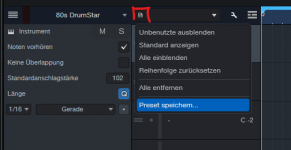
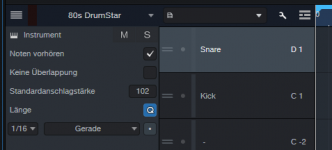
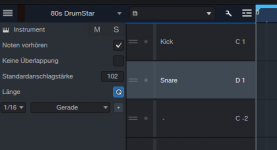
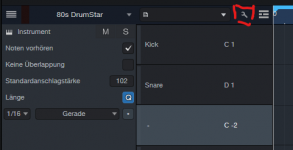
However when using Studio Pro in Drum View Mode the notes display Kick at C above Snare at D. In other words instead of going from low notes up to high notes it goes low notes down to high notes and it's making my OCD scream after looking at it the other way around for so long.... Is there any way to permanently flip the display to go from the bottom up instead of top down? I've managed to get Impact to display the way I want it by dragging notes and setting default preset but it doesn't seem to work in third party drum plugins. For example in Modo Drums I can set order, save a drum map, and set a default preset but although the note names are remembered the order goes back to be top down instead of bottom up. The image below shows how I want the order to display for all drum plugins. Thanks in advance for any help.

However when using Studio Pro in Drum View Mode the notes display Kick at C above Snare at D. In other words instead of going from low notes up to high notes it goes low notes down to high notes and it's making my OCD scream after looking at it the other way around for so long....
Is there any way to permanently flip the display to go from the bottom up instead of top down? I've managed to get Impact to display the way I want it by dragging notes and setting default preset but it doesn't seem to work in third party drum plugins. For example in Modo Drums I can set order, save a drum map, and set a default preset but although the note names are remembered the order goes back to be top down instead of bottom up. The image below shows how I want the order to display for all drum plugins. Thanks in advance for any help.