• Hi and welcome to the Studio One & Studio Pro User Forum!

    Please note that this is an independent, user-driven forum and is not endorsed by, affiliated with, or maintained by Fender. Learn more in the Welcome thread!

Control Link, Half Solved

dkaimone

Member
I'm having trouble sorting out Control Link with multiple external controllers and multiple VST plugins.

What I want to do is to control different plugin windows in local Focus mode from cc assigned knobs of the Launch Control, but using the stick 2 on the SL73 as the mod wheel. It seems I can easily switch between plugins and have the launch control automatically switch to local Focus mode on that plugin, but the stick 2 mod wheel does not automatically switch and vice-versa. Can only one external controller be in local focus mode at a time? Putting the launch control into focus seems to switch the SL73 to global and vice versa.

I just want both the stick/mod wheel on the SL73 and the cc encoders on the launch control to both be in focus mode and both switch when switching the active window. Can't seem to get it to work.

Thoughts?
 
I just can't get control link settings to work consistently with two or more external controllers and a variety of plugins. I'd just like to switch back and forth and have the settings remembered. Seems inconsistent, but probably me not setting it up quite right..... errrrrr....
 
Yeah sadly, Control Link only allows one hardware controller at a time. You can map via global mode as an alternative but this doesn't give you the context plugin control that you're likely seeking.

With Studio One/Fender Studio the only way i've found around it is to use a virtual MIDI tool that will take two devices and merge them as one. Works with vanilla controllers well, but any smart controllers with two-way communication it won't work too well with.
 
I have a similar setup:
SL73 , among other things,
and Nektartech Panorama P1.
I’ve set up the SL73 as a keyboard;
it transmits pitch bend and mod wheel data globally without any issues.It works.
The P1 is always in focus and also works fine.
I didn't even need to use MIDI Learn on the SL73 to get those two data types transmitting.
—unlike the X/Y stick I assigned to controller data 56 and 57...
In the inspectorI every track is set to "All Inputs."
Still, I can't find a definitive solution to your problem, since it obviously works fine for me🤔🤔

Regards
Dirk
 
it transmits pitch bend and mod wheel data globally without any issues.It works.
The P1 is always in focus and also works fine.
I didn't even need to use MIDI Learn on the SL73 to get those two data types transmitting.
I read that the OP is mapping mod wheel to VST parameters via control link, rather than using it for instruments control is the issue?

If this is for instrument control, then all they'd need to do is unlink the SL73 from control link and set it up on the device to send the CC they require, which is how you, and most people would be setup?
 
Way Back, I had a LX+61 that I defined as multiple keyboards by using different MIDI channels. I just ignored the warning and made sure I didn't use the same channel more than once. I did this specifically to be able to some of the controls were global focus, while others were local. Don't ask me for details as it was Long Ago ... :)

This was back in 4.5 or 5, so it may not work now.
 
Hmmm... I lot to think about, but thanks for the feedback and explanation why it's not working the way I have it...
 
I have a similar setup:
SL73 , among other things,
and Nektartech Panorama P1.
I’ve set up the SL73 as a keyboard;
it transmits pitch bend and mod wheel data globally without any issues.It works.
The P1 is always in focus and also works fine.
I didn't even need to use MIDI Learn on the SL73 to get those two data types transmitting.
—unlike the X/Y stick I assigned to controller data 56 and 57...
In the inspectorI every track is set to "All Inputs."
Still, I can't find a definitive solution to your problem, since it obviously works fine for me🤔🤔

Regards
Dirk
I have my SL73 as a keyboard as well, but the mod wheel is not always going through, sometimes yes, sometimes no. I'll have to look at the surrounding circumstances. Are you using the SL Link in the setup? Or SL Control? I'm not bothering with the SL DAW option.
 
743


Hi dkaimone.
I'm a bit late—sorry about that.
If I understand your question correctly—asking whether I use the SL73 in "Control Link"—my answer is: No, I don't.
I only use it in very rare cases, like when I want to use the third stick (X/Y), for example with HIVE...
I’d really like to be good help for you...:unsicher:


I’m assuming that you...
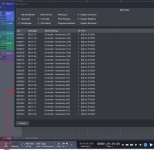
1. have checked the MIDI monitor to see if Mod.Wheel data is actually reaching Studio Pro.
2. have "programmed" the relevant PlugIn-instrument for the desired function.

In my case the SL73 transmits mod.wheel data correctly without needing any special configuration in Control Link...
You have to set up the master keyboard as a keyboard (you did), after all please just check the "RECEIVE FROM" [(only!) I think you did]
setting in the options.
I really hope this helps a little...If not, the other and professionals will have to step in;);)

I wanted to upload two video-files created with Snipping Tool regarding this,
but unfortunately, I got an error message:unsicher:—maybe someone has a tip for me??

Best regards
Dirk
 

Attachments

  • MIDI-Monitor-ModWheel-SL73.jpg
    MIDI-Monitor-ModWheel-SL73.jpg
    346,3 KB · Views: 11
Back
Top