JellyJonas
New member
Hi all,
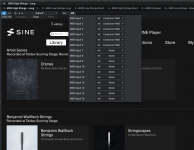
I recently purchased the conductor midi fader for controlling expression and volume in my orchestral mockups, but I can't figure out how to use it in conjunction with my keyboard (Roland a-800mk2) without having to use the 'all inputs' midi input. The issue with using the 'all inputs' is that I can't find a way to limit what midi goes to the 'all inputs' and what doesn't like you can in other DAWs.
I use an SPD-SX Pro to trigger my percussion tracks and I use Divisimate for various other tracks so if I pick 'all inputs' on a track it seems that this track will receive midi from everything and there isn't a way to limit this.
How do you guys go about navigating this and have I perhaps missed the section in the setup where you choose which midi devices are routed to 'all inputs' and wich are not?
Jonas
I recently purchased the conductor midi fader for controlling expression and volume in my orchestral mockups, but I can't figure out how to use it in conjunction with my keyboard (Roland a-800mk2) without having to use the 'all inputs' midi input. The issue with using the 'all inputs' is that I can't find a way to limit what midi goes to the 'all inputs' and what doesn't like you can in other DAWs.
I use an SPD-SX Pro to trigger my percussion tracks and I use Divisimate for various other tracks so if I pick 'all inputs' on a track it seems that this track will receive midi from everything and there isn't a way to limit this.
How do you guys go about navigating this and have I perhaps missed the section in the setup where you choose which midi devices are routed to 'all inputs' and wich are not?
Jonas