• Hi and welcome to the Studio One User Forum!

    Please note that this is an independent, user-driven forum and is not endorsed by, affiliated with, or maintained by PreSonus. Learn more in the Welcome thread!

32SC crash mid-show!

emtee

New member
I was doing sound for a school talent show, and 45 minutes in the mixer suddenly shut down (all lights went out). then came back but MAIN button came on, went off and then on again - motorised faders went all over the place.

It lasted about 2 seconds - had to halt the show while I reset the desk.

There were no signs at all of a mains glitch at this time. And I examined the mains lead and extension very very carefully.

Has anyone encountered anything similar?
 
Ouch! 😐
 
I was doing sound for a school talent show, and 45 minutes in the mixer suddenly shut down (all lights went out). then came back but MAIN button came on, went off and then on again - motorised faders went all over the place.

It lasted about 2 seconds - had to halt the show while I reset the desk.

There were no signs at all of a mains glitch at this time. And I examined the mains lead and extension very very carefully.

Has anyone encountered anything similar?
I'm not sure what it is you're asking. First though, no I've never experienced Studio One mixer being the cause of shutting down. Then main button off and back on, and faders going all over the place. Where would one begin.......?
It sounds like a better description is in order and even then, there could have been some connectivity, USB connection, PCI slot, ribbon or power supply connector, or gosh knows what. So I don't think you're going to get any "happened here as well".
Is it reproducible on your computer? Try for small simple processes that dont seem to be right, and we can work from there. Carefully jiggle to slightly tighten all connections while you're at it.
 
I'm not sure what it is you're asking. First though, no I've never experienced Studio One mixer being the cause of shutting down. Then main button off and back on, and faders going all over the place. Where would one begin.......?
It sounds like a better description is in order and even then, there could have been some connectivity, USB connection, PCI slot, ribbon or power supply connector, or gosh knows what. So I don't think you're going to get any "happened here as well".
Is it reproducible on your computer? Try for small simple processes that dont seem to be right, and we can work from there. Carefully jiggle to slightly tighten all connections while you're at it.
Thanks - to add information ...

It sounds like a PSU or mains glitch - mixer was connected to a playback laptop via external and isolated DAC (laptop not mine, but USB DAC and isolator are mine) - 12 mics - 2 phantom power - and crude audio backup using MP3 player.

I worked in audio most of my working life (until retirement 20 years ago) including troubleshooting technical/audio/system faults and wasn't aware of any coincident action at the time that could have caused it - including possibility of static discharge.

The only thing I did at the interval was to check every connection to the mixer.

The mixer didn't reboot - that is, it didn't shut down completely and reboot.

Now I'm back home, I've tried to use my test kit to simulate a clean and a dirty, but brief, mains outage - I can't simulate a voltage spike.

I'm 100% sure it was internal to the mixer - so wonder if anyone else has experienced anything like it.

Hopefully the odds are against it happening again.
 
Hey emtee,
Yeah, such things can be hard to trace.
The tightening connections can help, and hoping you dont experience this again. On a whole, Studio One is just going to be quite solid and for all practical purposes, bullet proof. No such discussions have taken place. That doesn't dismiss the numerous connection possibilities and since you were recording a show, there could be a whole plethora of unknowns. Either from the circuit, spikes, or something intermittent.
Going forward for future posts, (and btw welcome to the forum!), add your system specs to your signature to minimize questions that will be logically asked about what you're using. Keep it in relation to your PC, OS, audio interface and such. You'll only have to do that once.
Hopefully this shutdown is all in your rear view mirror. Such power downs could conceivably make automation catch up, revealing moving faders, and what you saw. Basically, a byproduct of the real unknown issue.
Good luck!
 
One thing interfaces/digital mixers absolutely don't like is mid-action sample rate changes. Make sure that the laptop never tries to change the sample rate e.g. because system sound is still active and tries to use your mixer for output.
 
One thing interfaces/digital mixers absolutely don't like is mid-action sample rate changes. Make sure that the laptop never tries to change the sample rate e.g. because system sound is still active and tries to use your mixer for output.
Thanks - normally I use whatever audio I'm given (MP3, WAV etc etc) at all sorts of rates/depths - for this I gathered all the audio myself and all same sample rate and depth.

And this happened in the middle of a playback.
 
normally I use whatever audio I'm given (MP3, WAV etc etc) at all sorts of rates/depths - for this I gathered all the audio myself and all same sample rate and depth.

And this happened in the middle of a playback.
Then the path to repeating that playback could repeat the error. If it doesn't, and now that the show (and all connections) are over, then its just something that likely occurred only at that time. Keep in mind, if you were running extended MIDI cables, bridging or running longer lines, be it USB, but not mic or audio. Then MIDI clock issues could arise. A hiccup from your MIDI clock, SMPTE or A/D or D/A conversions just might cause some drift when clocking. That also doesn't rule out sample conversion like Switchback is pointing to. So you have your homework cut out for you. Don't put that on us! (I'm joking).
😉
I have an 8x8 MIDI patchbay (MOTU 's flagship MIDI Time Piece) and when I run extra long when cabling mobile projects to a digital mixer, be it SPDIF, AES/EBU, MIDI clock, etc I see such subtle corrections even when set to proper clock speed. Sometimes it can cause a snag. Most of the time, not. Some requirements can go right on up to RME, Madi, or Antelope Orion 32, (or the like) precision. A sure way, or path to avoiding multi stream clock issues or latency. In your case, there's still too little info to go on if I'm being honest. Hopefully, it doesn't repeat. 👍
 
The set up is very simple.
Then the path to repeating that playback could repeat the error. If it doesn't, and now that the show (and all connections) are over, then its just something that likely occurred only at that time. Keep in mind, if you were running extended MIDI cables, bridging or running longer lines, be it USB, but not mic or audio. Then MIDI clock issues could arise. A hiccup from your MIDI clock, SMPTE or A/D or D/A conversions just might cause some drift when clocking. That also doesn't rule out sample conversion like Switchback is pointing to. So you have your homework cut out for you. Don't put that on us! (I'm joking).
😉
I have an 8x8 MIDI patchbay (MOTU 's flagship MIDI Time Piece) and when I run extra long when cabling mobile projects to a digital mixer, be it SPDIF, AES/EBU, MIDI clock, etc I see such subtle corrections even when set to proper clock speed. Sometimes it can cause a snag. Most of the time, not. Some requirements can go right on up to RME, Madi, or Antelope Orion 32, (or the like) precision. A sure way, or path to avoiding multi stream clock issues or latency. In your case, there's still too little info to go on if I'm being honest. Hopefully, it doesn't repeat. 👍

I'm not sure what else you need - but I'm not asking for a diagnosis - just asking if anyone else had had a similar problem. - to help shortcut a path to understanding.

But set up .... mixer - standalone - only inputs are 12 mics (8 radio mic RXs on 1m XLR, and 4 XLR cabled 15m) - and a single USB on an isolated (actually, double-isolated with USB decoupler and inline transformers) - plus feeds to PA.

I've worked with and in audio since 1965, including professionally, so I can do the diagnostics.
 
Thanks - normally I use whatever audio I'm given (MP3, WAV etc etc) at all sorts of rates/depths - for this I gathered all the audio myself and all same sample rate and depth.

And this happened in the middle of a playback.
The point I was trying to make was that the laptop, being a loaner, may not have been optimised for audio use. One of the optimisation steps is to disable system audio (key clicks, chimes, that sort of stuff) which has its own bit depth and sample rate settings. Windows allows only one audio interface at a time so in a situation with say system audio on 44.1kHz and your music playback app on 48kHz it requires only one click to create havoc.
 
@emtee,
Yep, as mentioned any such instances have not come up in discussion. You can always check in this forum in new release posts, or search based on similar occurences whatever they might be
I was doing sound for a school talent show, and 45 minutes in the mixer suddenly shut down (all lights went out). then came back but MAIN button came on, went off and then on again - motorised faders went all over the place.

It lasted about 2 seconds - had to halt the show while I reset the desk.

There were no signs at all of a mains glitch at this time. And I examined the mains lead and extension very very carefully.

Has anyone encountered anything similar?
So given what you described, I cant see how any report here would come up as remotely close. Automation with Studio One can go on for hours without fail. Barring any unforseen external circumstances.
 
One thing interfaces/digital mixers absolutely don't like is mid-action sample rate changes. Make sure that the laptop never tries to change the sample rate e.g. because system sound is still active and tries to use your mixer for output.
Thanks - I do understand laptop issues - but I've been using this laptop on and off for a few years now - I use it to mentor some kids in audio recording, mixing and editing. Also this is its fifth outing in the past couple of weeks, all sample rates set exactly the same.

But even so, it's hard to imagine a software bug that would completely and momentarily shut down and throw a wobbly with a USB conflict.

Would love to get to the bottom of it - but I suspect that'll not happen.

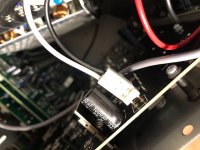
However, I'm going to take a look inside just to make sure that there are no wiring issues.
 
It wouldn't be a USB conflict but it would be the interface adapting to the sample rates of apps asking. Also, it was just a suggestion of what could have happened :)
 
Back
Top