Hey everyone,
I’m hoping someone here can help me out or has experienced something similar, because I am at my wit's end.
Issue 1: The "Time-Travel" Recording Bug
For about a month now, I've been dealing with a really weird recording bug in Studio Pro 8 that I've never experienced before. Randomly, certain takes just won't record correctly.
For example: I’ll be tracking normally, and on the 47th take, everything seems fine. Monitoring sounds perfect, nothing unusual. But while recording, I can already see that the waveform being drawn does not match the take. When we play it back, it’s not the take we just performed—the audio on the track is actually from several seconds before, almost like there's a 20-second delay.
The weirdest part is that if I record another take and try to retrieve the actual performance using the pre-record buffer, it's as if the take never existed. It’s completely gone. As you can imagine, this is incredibly unprofessional and annoying when you're tracking other artists.
I initially thought this was a new bug in version 8, so I rolled back to Studio One 7. But it’s happening there too, even though v7 was completely stable for me before. It happens roughly every 50 takes, but sometimes it clusters and happens 2-3 times in short succession. Has anyone else encountered this or knows what might be causing it?
Issue 2: False "Missing Files" & Project Corruption
I also ran into another major issue, though thankfully this has only happened on one specific project so far.
I was mixing a song and I always save my files twice (in a dedicated folder, and I also click "yes" when Studio One asks to copy external files to the project media folder). Two hours later, I tried to open the project and got a "Files not found" error. However, the names of the missing files it was looking for were completely wrong—all the tracks were displaying the exact same file name.
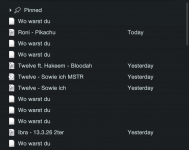
Every time I tried opening the project via macOS Finder, it would add a new project entry to the Studio One Start Page, but with that same wrong name and a blank document icon.
I tried creating a new project and importing the session data, but the error came right back. I finally bypassed it by creating a brand-new session and manually dragging and dropping track presets one by one. That worked, but I really need to know what caused this corrupted metadata/file path issue so I can prevent it from happening again.
Honestly, these two bugs (along with a few other minor ones lately) are seriously making me consider switching back to Logic or Pro Tools. Any insights, workarounds, or help would be hugely appreciated!
I’m hoping someone here can help me out or has experienced something similar, because I am at my wit's end.
Issue 1: The "Time-Travel" Recording Bug
For about a month now, I've been dealing with a really weird recording bug in Studio Pro 8 that I've never experienced before. Randomly, certain takes just won't record correctly.
For example: I’ll be tracking normally, and on the 47th take, everything seems fine. Monitoring sounds perfect, nothing unusual. But while recording, I can already see that the waveform being drawn does not match the take. When we play it back, it’s not the take we just performed—the audio on the track is actually from several seconds before, almost like there's a 20-second delay.
The weirdest part is that if I record another take and try to retrieve the actual performance using the pre-record buffer, it's as if the take never existed. It’s completely gone. As you can imagine, this is incredibly unprofessional and annoying when you're tracking other artists.
I initially thought this was a new bug in version 8, so I rolled back to Studio One 7. But it’s happening there too, even though v7 was completely stable for me before. It happens roughly every 50 takes, but sometimes it clusters and happens 2-3 times in short succession. Has anyone else encountered this or knows what might be causing it?
Issue 2: False "Missing Files" & Project Corruption
I also ran into another major issue, though thankfully this has only happened on one specific project so far.
I was mixing a song and I always save my files twice (in a dedicated folder, and I also click "yes" when Studio One asks to copy external files to the project media folder). Two hours later, I tried to open the project and got a "Files not found" error. However, the names of the missing files it was looking for were completely wrong—all the tracks were displaying the exact same file name.
Every time I tried opening the project via macOS Finder, it would add a new project entry to the Studio One Start Page, but with that same wrong name and a blank document icon.
I tried creating a new project and importing the session data, but the error came right back. I finally bypassed it by creating a brand-new session and manually dragging and dropping track presets one by one. That worked, but I really need to know what caused this corrupted metadata/file path issue so I can prevent it from happening again.
Honestly, these two bugs (along with a few other minor ones lately) are seriously making me consider switching back to Logic or Pro Tools. Any insights, workarounds, or help would be hugely appreciated!